- 05 - - 06 -
Chapter 3 PROJECTION MODE
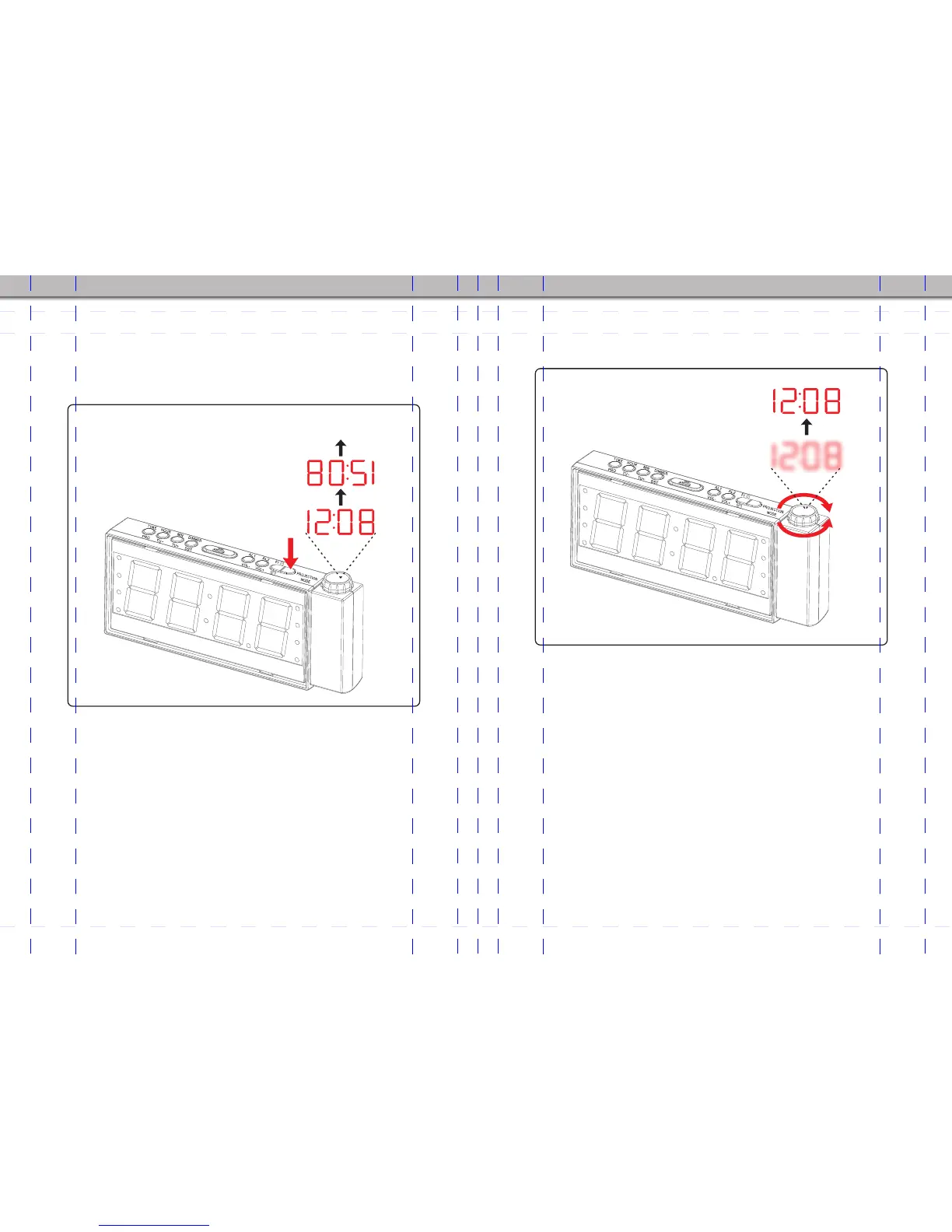
1. Press Projection mode button (9) to activate projection function.
2. Press once again to flip the projection clock image reversely.
3. Press once again to turn off the projection clock.
Turn OFF
4. Adjust focus ring (16) to adjust the focus on projection clock image
until clearly show on the ceiling or on the wall.
Note: If you want to switch off the projection.repeatedly press
Projection mode button(9) until no clock image on the ceiling or on
the wall.
Note: if projection numbers are fuzzy,please rotate the focus ring
(16) to adjust proper angle for clear projection clock.


 To Next Page