Chapter 9 AM/FM RADIO OPERATION
AM operation:
1.Double press the RADIO button (8) to turn on the radio. The radio
receives the AM band with the AM/FM indicator (13) turned on and the
LED display showing AM frequency.
Note: AM frequency: 520kHz------1710kHz 520kHz preset as a default.
Repeatedly press RADIO button (8) to switch FM / AM.
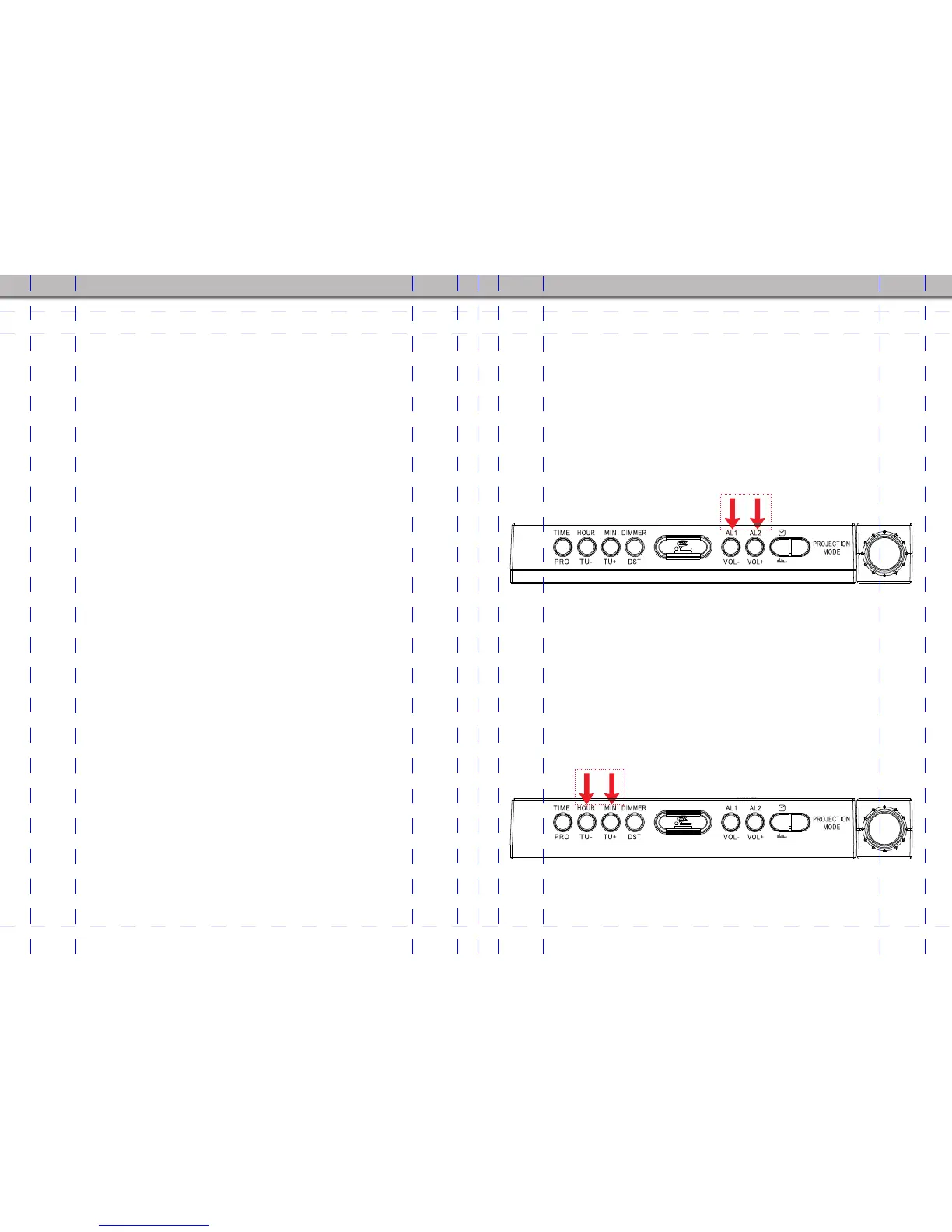
2. Adjust the volume by pressing AL2/VOL+ button (7) to increase or
pressing AL1/VOL- button (6) to decrease.
Note: Volume range: 00 (mute) to 15 (maximum), 8 level preset as a default.
3.Use the HOUR/TU- button (2) or MIN/TU+ button (3) to tune into the
desired AM station by either of the 2 following methods:
Manual Tuning: Press either of the 2 tuning buttons, HOUR/TU- button
(2) or MIN/TU+ button (3), repeatedly until the desired AM station is
reached. The radio can tune from 520kHz TO 1710kHz , each press of
the HOUR/TU- button (2) can tune down by 10KHz and MIN/TU+ button
(3) can tune up by 10KHz.
- 13 - - 14 -
Chapter 8 SETTING THE SLEEP TIMER AND ALARM TOGETHER
1. If you want to set the SLEEP timer function and Alarm function
together, you must follow the <Chapter 5 ALARM SETTING> to set the
alarm first.
2. Keep the radio turned on and press the SLEEP/SNOOZE (5) button
repeatedly until the display shows your desired SLEEP time period. 2
seconds after the desired SLEEP period is chosen, the display will
change back to show the current time. Then, the radio will be turn off
automatically after the SLEEP time elapses, and then wake you up at
your set alarm time.
AM/FM
Volume control
AM/FM
Repeatedly press these buttons to increase or discrease AM band


 To Next Page