Chapter 7 SLEEP TIMER SETTING
The SLEEP timer function allows the radio to play in blocks of 10, 20,
30, 40, 50, 60, 70, 80, or 90 minutes before turning off automatically, so
you can enjoy falling asleep when listening to the radio.
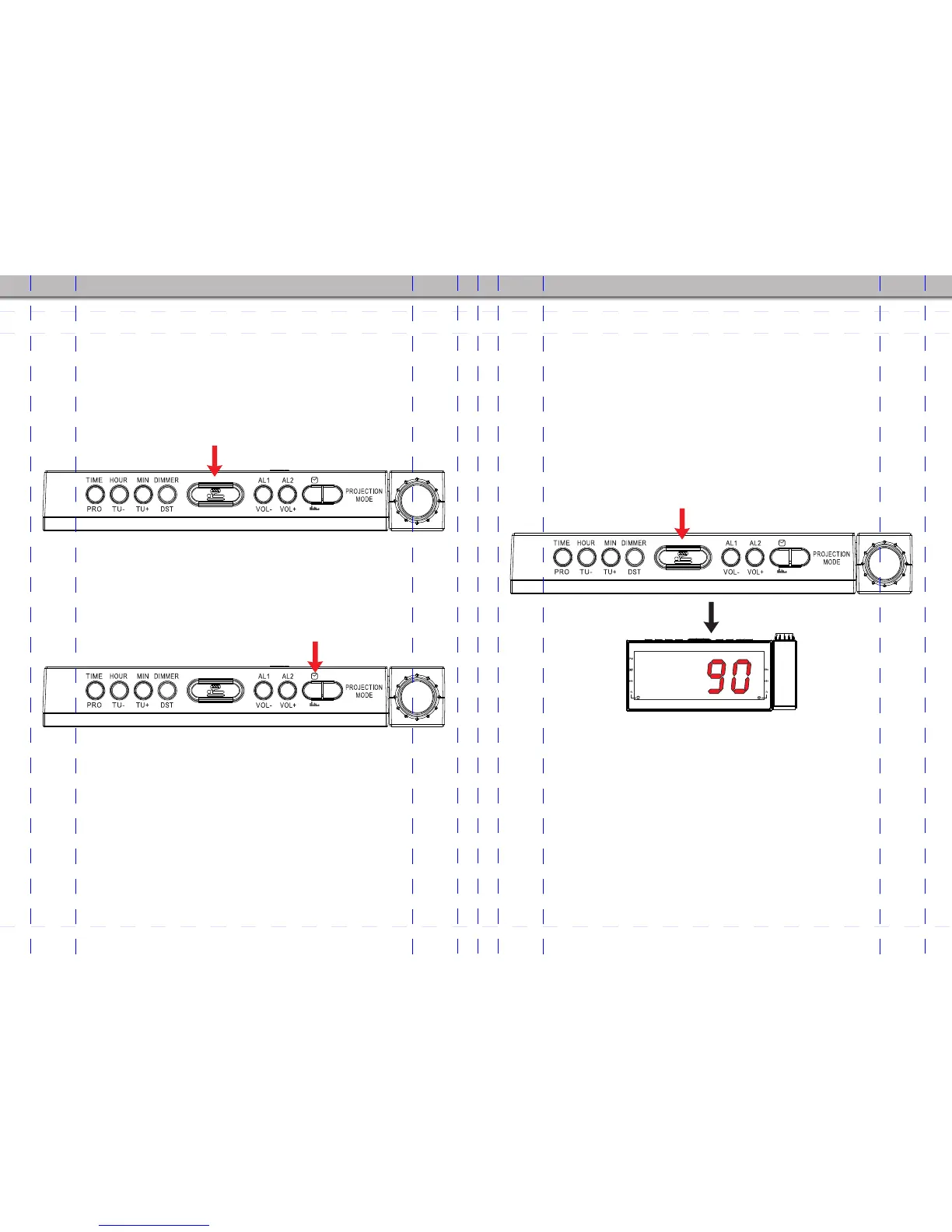
When you listening to the radio, press the SLEEP/SNOOZE (5) button
with the display showing 90(for 90 minutes). Press the
SLEEP/SNOOZE (5) button repeatedly until the display shows your
desired SLEEP time period. The time period is shown on the display in
sequence as 90 > 80 > 70 > 60 > 50 > 40 > 30 > 20 > 10 > OFF.
1. 2 seconds after the desired SLEEP period is chosen, the display will
return to the current time, and the radio will play for the SLEEP time
duration you have set and then turn off automatically.
2. Press the SLEEP/SNOOZE (5) button again during SLEEP mode, the
LED will show the remaining time of the SLEEP period, and the SLEEP
time can be adjusted by pressing the SLEEP/SNOOZE (5) button.
3. To switch off the SLEEP timer function during SLEEP mode, press
the SLEEP/SNOOZE (5) button repeatedly to find the OFF option.
- 11 - - 12 -
Chapter 6 SNOOZE SETTING
Once the alarm starts sounding, the snooze function can be used to
pause the alarm temporarily for 9 minutes before it sounds again.
1. When Alarm 1 or 2 sounds, press the SLEEP/SNOOZE button (5) to
pause the buzzer or radio alarm. The alarm will sound again after about
9 minutes. The SNOOZE function can be repeated within 1 hour from
the set alarm time.
2. During the time when SNOOZE function is activated, the
corresponding alarm indicator will flash.
3. To switch off the SNOOZE function, simply press RADIO button (8)
once.The alarm indicator will stop flashing and the alarm will not sound
again until the set time on the next day.
AM/FM
AM/FM
AM/FM
When you listening to the radio, press this button to set SLEEP time
AM/FM
1


 To Next Page