3
» Carefully remove the headset from the box and remove the lens lms.
» Remove the paper from the headset strap and prepare the controllers by removing the battery
blocker (gently pull the paper tab).
» Attach the controllers securely to your wrists using the adjustable straps.
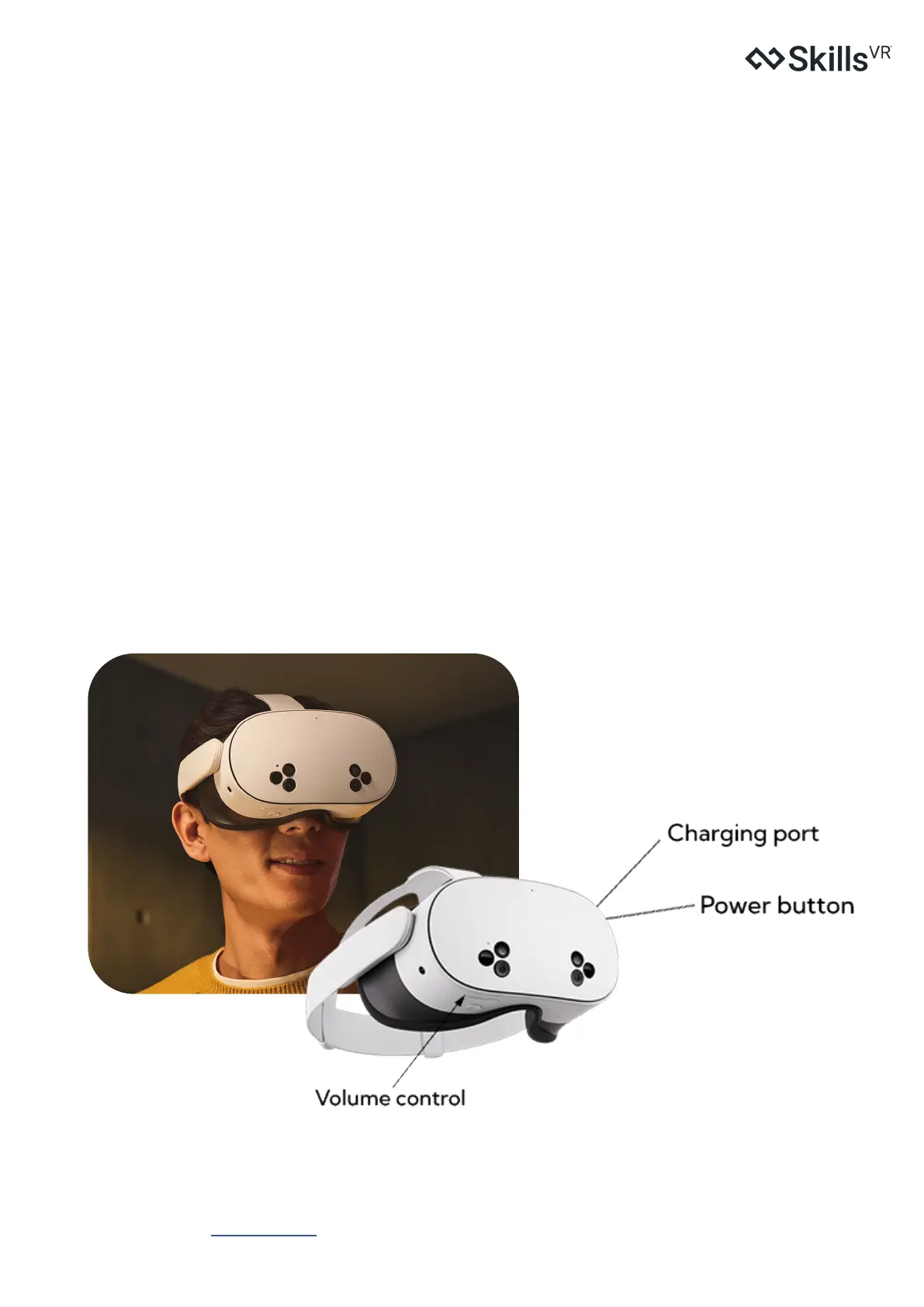
» Charge your headset: Use the included power adapter and charging cable to fully charge the headset
before starting setup..
Powering On
» Turn on your headset: Press and hold the power button on the left side of the headset for 3 seconds, or
until you hear a chime sound and see the Meta symbol appear.
» Turn on your controllers: Press and hold the Menu button on the left controller and the Meta button
on the right controller for 2 seconds until you see a blinking white light and feel a haptic response. This
means your controllers are ready.
STEP-BY-STEP GUIDE
Getting Ready
Skills
VR
Support | Meta Quest 3S


 To Next Page