EasyManua.ls Logo

Metallkraft GS 1200-24 E - User Manual

Default Icon
22 pages
Print Icon
To Next Page IconTo Next Page
Loading...
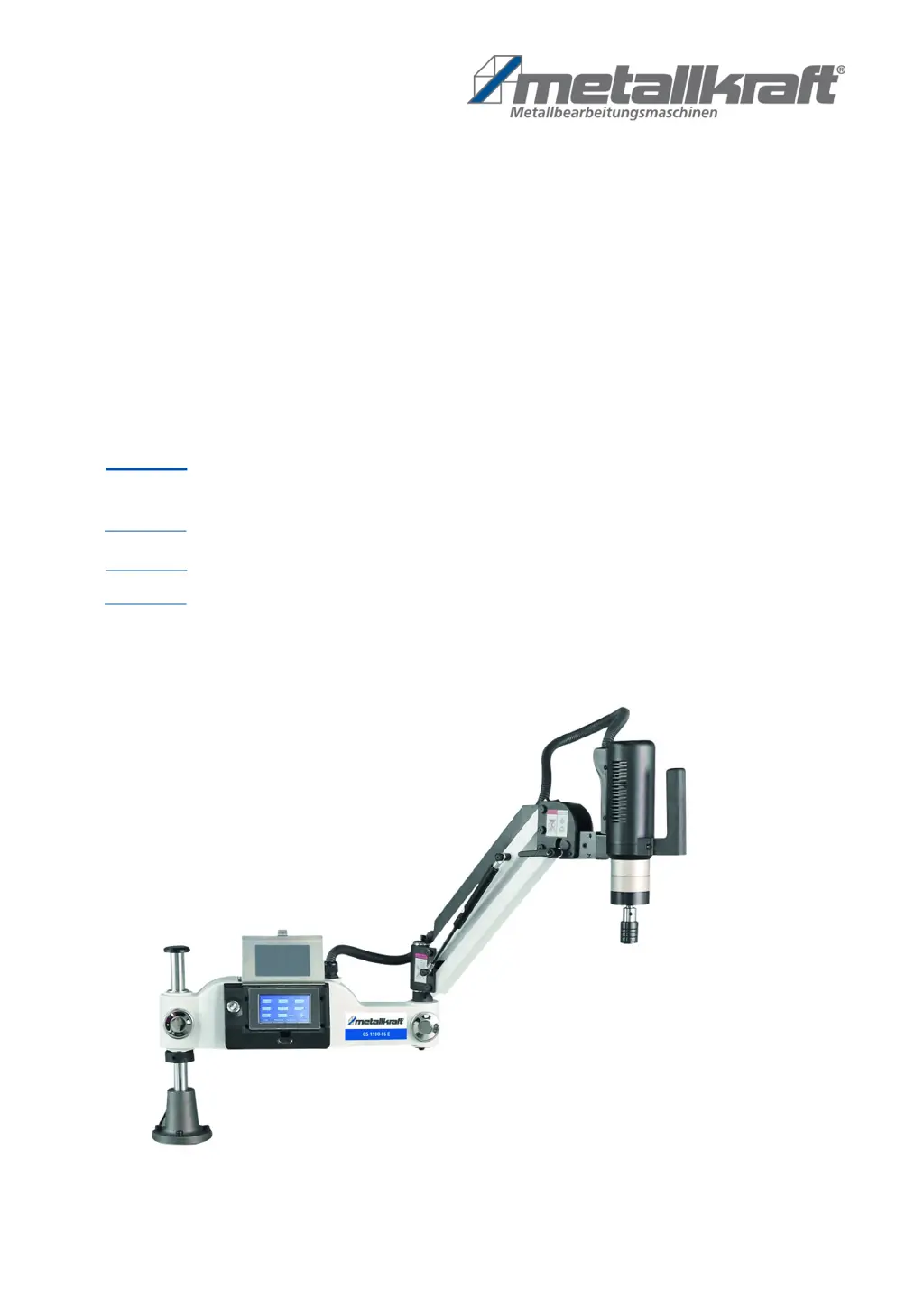
GS 1100-16 E
Operating instructions
GS 1200-24 E
Thread Tapping Machine
GS-E SERIES
GS 1100-16 E
GS 1200-36 E

Questions and Answers

  • K
    Kenneth PorterAug 8, 2025
    What to do if Metallkraft GS 1200-24 E shows Erry-001 error?
    • E
      Erin WhiteAug 8, 2025
      If your Metallkraft Industrial Equipment displays the Erry-001 error, it indicates a drive module malfunction. Check the vertical position of the main shaft, verify that the gearbox isn't blocked, ensure the screw tap isn't jammed, inspect the drive and motor for damage, and confirm the mains cable is correctly connected.
  • V
    Victor JohnsonAug 13, 2025
    What to do if Metallkraft GS 1200-24 E shows Erry-04 or Erry-010 error?
    • A
      Alan HarrisAug 13, 2025
      If your Metallkraft Industrial Equipment shows Erry-04 or Erry-010, it means there's a drive overload. Check if the screw tap chip removal is working correctly. Also, if you're working with stainless steel or other hard materials, consider using a larger tapping machine.
  • K
    Keith WarnerAug 17, 2025
    What does it mean if Metallkraft Industrial Equipment shows error Erry-312?
    • M
      Megan CurryAug 17, 2025
      Error Erry-312 on your Metallkraft Industrial Equipment indicates a torque protection error. You can resolve this by either turning off the torque protection feature or setting a larger value for torque protection within the User Parameter interface.
  • N
    Nicholas JohnsonAug 23, 2025
    Why does my Metallkraft GS 1200-24 E show error Erry-006?
    • J
      Justin JeffersonAug 25, 2025
      The Erry-006 error on your Metallkraft Industrial Equipment indicates that the engine is blocked. You should check the motor and verify whether the gearbox is blocked.
  • M
    Mary ConradAug 28, 2025
    What causes Erry-200 error on Metallkraft Industrial Equipment and how to fix it?
    • P
      paula47Aug 28, 2025
      The Erry-200 error on your Metallkraft Industrial Equipment indicates an internal communication error within the drive, caused by interference with the encoder signal. To resolve this, locate the source of the interference and move it away from the equipment.
  • C
    Claudia KimSep 2, 2025
    What to do if Metallkraft GS 1200-24 E Industrial Equipment shows errors Erry-008, 091, 092, or 093?
    • V
      Vanessa HarringtonSep 2, 2025
      If your Metallkraft Industrial Equipment is displaying errors Erry-008, Erry-091, Erry-092, or Erry-093, this indicates a motor encoder fault. Ensure that the CN5 encoder cable is properly connected.

Summary

Safety Overview

Symbol and Signal Word Explanation

Explains the meaning of safety symbols and signal words used in the manual.

Operators Obligations

Outlines the responsibilities of the operating company regarding machine safety and usage.

Personnel Qualification Requirements

Defines the necessary qualifications for personnel operating the machine.

Personal Protective Equipment (PPE)

Lists and describes essential personal protective equipment for safe operation.

Safety Labels on the Machine

Details mandatory safety markings and their importance on the thread tapping machine.

Safety Devices

Emphasizes the importance and proper function of safety devices on the machine.

Special Safety Rules

Specific safety precautions and rules to follow during thread tapping operations.

Technical Specifications

Technical Data Table

Presents a comparative table of technical specifications for different machine models.

Transport, Packaging, and Storage

Safe Machine Transport

Guidelines and precautions for safely transporting the thread tapping machine.

Machine Assembly

Machine Operation

Basic Operation and Modes

How to turn on/off the machine and switch between manual and automatic operating modes.

User Interface Navigation

Overview of the control panel interface for setting parameters and operating the machine.

Automatic Tapping Operation

Detailed steps for performing tapping operations in automatic mode.

User Parameter Settings

Configuration options for user-specific parameters like delay time and motor direction.

Cleaning, Maintenance, and Repair

Routine Cleaning and Maintenance

Guidelines for regular cleaning and upkeep to ensure machine performance.

Disposal and Recycling

Troubleshooting Guide

Spare Parts Information

Control Unit Wiring Diagram

Metallkraft GS 1200-24 E Specifications

General IconGeneral
BrandMetallkraft
ModelGS 1200-24 E
CategoryIndustrial Equipment
LanguageEnglish

Related product manuals