◈ Information
This Installation Guide includes a brief outline of information necessary for product
installation. For more detailed installation information, please refer to the user manual in
the enclosed CD. The contents of the CD include the following.
1. Manual: User Manual, Code Chart, Control Commands
2. Drivers: Windows Drivers, OPOS Drivers
3. Utilities: a logo download tool
We at Metapace maintain ongoing efforts to enhance and upgrade the functions and quality
of all our products. In following, product specifications and/or user manual content may be
changed without prior notice.
◈ Components
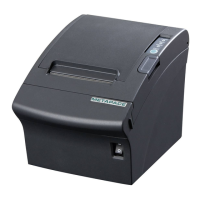
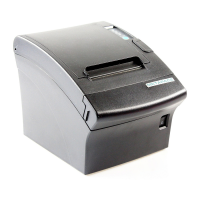
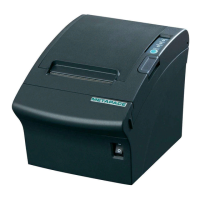
Metapace T-3II
Cable Cover
Paper Roll
CD
USB A-B Cable
AC Adaptor
Power Cord
Quick Start Guide
Safety Guide
Splash Proof Cover
Buzzer
Cleaning Pen
◈ Connecting the Cables
1. Turn off the printer and the host ECR (host computer).
2. Plug the power cord into the Adaptor, and then plug the Adaptor into the power connector
of the printer.
3. Check the interface cable (Serial, Parallel, USB, Ethernet or Wireless LAN), and connect
the interface connector cable accordingly.
4. Plug the drawer kick-out cable into the drawer kick-out connector on the printer.
◈ Installing the Paper Roll
1. Open the paper roll cover by pressing the cover-
open button.
2. Insert a new paper roll, making sure to align it
properly.
3. Pull out a small amount of paper, and close the
cover.
※ Note
When closing the cover, press down on the center
of the cover to ensure that the paper is in contact
with the roller.
※ Note: Adjusting the Paper Near-End Sensor
The Metapace T-3II has a paper near-end sensor
that provides notice that the paper roll is nearly
exhausted. When the paper is running low, the
lamp on the apparatus is lit red. If the lamp is
activated even when sufficient paper remains,
adjust the near-end sensor setting by pushing the
tab upward towards1.
◈ Paper Jam (Refer to 1-6 in User Manual)
1. Turn the power of the printer off or on and open the cover to remove the paper.
2. If the cover is not opened, turn off the power of the printer and separate the cover-cutter
and then turn the knob of the auto cutter to open the cover.
◈ Using the Operation Panel
• POWER (LED)
When turning on the power, a green LED will be lit.
• ERROR (LED)
When an error occurs, a red LED will be lit.
(e.g. no paper, cover ajar, etc.)
• PAPER (LED)
Red LED will be lit when the paper roll is running low. The LED
blinks when the printer is in self-test standby mode or macro execution
standby mode.
• FEED (Button)
Press the FEED button once to discharge extra paper. Holding down
the FEED button will discharge paper continuously until the button is
released.
◈ Setting the Dip Switches
Changing Dip Switch settings must be done when the printer is off. Any changes done while
the printer is on will not be processed.
1. Serial Interface
• DIP Switch 1
SW Function ON OFF Default
1-1 Auto Line Feed Enable Disable OFF
1-2 Flow Control XON/XOFF DTR/DSR OFF
1-3 Data Length 7 bits 8 bits OFF
1-4 Parity Check Yes No OFF
1-5 Parity Selection EVEN ODD OFF
1-6
Baud rate Selection (bps) Refer to the following Table 1
OFF
1-7 ON
1-8 OFF
• DIP Switch 2
SW Function ON OFF Default
2-1 Reserved - - OFF
2-2 Reserved - - OFF
2-3 Internal Bell Control Disabled Enabled OFF
2-4 Auto Cutter Selection Disabled Enabled OFF
2-5
Print Density Refer to the following table 2
OFF
2-6 OFF
2-7 Near End Sensor Contorl Disabled Enabled OFF
2-8 Auto External Buzz Enabled Disabled OFF
2. Parallel / USB / Ethernet / Wireless LAN Interface
• DIP Switch 1
SW Function ON OFF Default
1-1 Auto Line Feed Enable Disable OFF
1-2 Reserved - - OFF
1-3 Reserved - - OFF
1-4 Reserved - - OFF
1-5 Reserved - - OFF
1-6 Reserved - - OFF
1-7 Reserved - - ON
1-8 Reserved - - OFF
• DIP Switch 2
SW Function ON OFF Default
2-1 Reserved - - OFF
2-2 Reserved - - OFF
2-3 Internal Bell Control Disabled Enabled OFF
2-4 Auto Cutter Selection Disabled Enabled OFF
2-5
Print Density Refer to the following table 2
OFF
2-6 OFF
2-7 Near End Sensor Contorl Disabled Enabled OFF
2-8 Auto External Buzz Enabled Disabled OFF
• Table 1 – Baud Rate (bps) Selection
Transmission Speed 1-6 1-7 1-8 Default
2400 ON OFF OFF
9600
4800 ON OFF ON
9600 OFF ON OFF
19200 OFF OFF OFF
38400 OFF ON ON
57600 OFF OFF ON
115200 ON ON ON
• Table 2 – Print Density Selection
Print Density 2-5 2-6 Default
Level 1 OFF OFF
- Level 1 is default
- Level 4 is darkest
Level 2 ON OFF
Level 3 OFF ON
Level 4 ON ON
Quick Start Guide
KN04-00083M (Rev.1.0)
THERMAL PRINTER Metapace T-3II


 To Next Page
 Need help?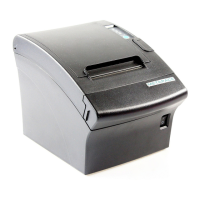

 General