Need help?
Do you have a question about the Metapace T-1 and is the answer not in the manual?
Lists compatible Metapace printer models and their interface card requirements.
Steps for installing the interface card, including version checks and connections.
Method for identifying the hardware version from the interface card bracket.
Introduction to utilities for network and serial communication setup.
Detailed steps to configure a static IP address for the printer interface.
Instructions for setting up DHCP for automatic IP assignment via the tool.
Process for updating printer firmware using the configuration utility and a .bin file.
Guide to setting up the printer's web server with a static IP address.
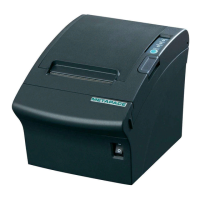
This document serves as the Ethernet Interface Manual for Metapace Thermal and Label Printers, specifically covering models T-1, T-2, L-1, and L-2. It provides comprehensive instructions for setting up, configuring, and maintaining the Ethernet interface, enabling network connectivity for these printers.
The primary function of this device, the Ethernet interface, is to allow Metapace thermal and label printers to connect to a local area network (LAN), facilitating printing operations over a network rather than through direct physical connections like USB or serial ports. This network capability is crucial for environments where multiple users need to access a single printer, or where the printer needs to be located remotely from the host computer. The manual details the process of installing the interface card, configuring network settings, and performing firmware updates, ensuring the printer can seamlessly integrate into an existing network infrastructure.
One of the key usage features is the Interface Setting Guiding, which provides a step-by-step flowchart to guide users through the entire setup process. This includes checking the interface card, physical installation, setting up serial communication, and verifying network connectivity. The guide differentiates between Static IP and DHCP configurations, offering distinct paths for each, and also incorporates checks for Web Server access, indicating the flexibility in how the interface can be managed. This structured approach helps users, regardless of their networking expertise, to successfully configure their printer for network use.
For Static IP interface setup, the manual outlines a detailed procedure using a dedicated Configuration Tool. This tool allows users to manually input critical network parameters such as IP Address, Subnet Mask, Gateway, and Local Port. The ability to set an Inactivity Time is a notable feature, allowing the Ethernet interface to disconnect after a specified period of inactivity, which can be useful for power saving or security, although setting it to '0' disables this forced disconnection. The Configuration Tool also enables users to set the baud rate (Speed) for serial communication, which is essential for ensuring compatibility between the interface card and the printer's internal communication speed. The manual emphasizes that the baud rate of the interface should match that of the printer for optimal performance. Visual cues, such as "Successfully finished set up" and "Fail to set the board" messages, provide immediate feedback on the configuration process.
The DHCP interface setup is also thoroughly explained, leveraging the same Configuration Tool. In this mode, the printer automatically obtains its IP address and other network settings from a DHCP server on the network. Users simply need to select the MAC Address of the interface card, check the "DHCP Mode" option, and apply the settings. The manual advises waiting approximately 10 seconds for the printer to receive an IP address from the server, highlighting the dynamic nature of DHCP. A "Search" function within the tool allows users to verify the IP address assigned by the DHCP server.
A significant maintenance feature is the Firmware Update capability. The manual provides instructions on how to update the firmware of the Ethernet interface using the Configuration Tool. This process involves selecting the appropriate firmware file (with a ".bin" extension) and uploading it to the interface card. Firmware updates are crucial for improving performance, fixing bugs, and adding new features, ensuring the interface remains current and compatible with evolving network standards. The manual explicitly warns against turning off the printer during a firmware update, as this could cause "fatal harm to the interface card," underscoring the importance of following the procedure carefully. The document also lists the specific firmware files (e.g., ETP_TCP_V2X.bin, ETS_TCP_V5X.bin) compatible with different Metapace printer models and hardware versions, ensuring users select the correct update.
Another usage feature is the Web Server functionality. The Ethernet interface includes an embedded web server that allows users to configure network settings directly through a web browser, such as Internet Explorer. By entering the printer's IP address into the browser, users can access a "Configuration" window to view and modify settings like Source IP, Subnet Mask, Gateway IP, Local Port, and Inactivity Time. This provides an alternative, often more convenient, method for managing the interface, especially for users who prefer a graphical interface over a dedicated configuration tool. The web server also supports firmware updates, further enhancing its utility as a remote management tool. The manual guides users on how to check the IP address using a "Function key" on the printer if they are unsure, demonstrating a user-friendly approach to troubleshooting.
The manual also covers essential Ethernet Test procedures, including using Windows test pages, to verify that the printer is correctly configured and communicating over the network. This practical testing step ensures that the setup process has been successful and that the printer is ready for operational use. Furthermore, it provides guidance on How to check Static IP or DHCP settings directly from the printer, offering a quick way to ascertain the current network configuration without needing to access the Configuration Tool or Web Server.
For troubleshooting and resetting, the Factory Reset feature is detailed, allowing users to revert the interface settings to their default state. This is invaluable for resolving complex configuration issues or when re-deploying the printer in a new network environment. The Function Key set up section indicates that certain settings or information can be accessed directly via the printer's function keys, providing a direct interface for basic diagnostics and information retrieval.
Finally, the manual includes an Appendix detailing the interface card, offering insights into its hardware version and physical characteristics. This information is useful for identification and ensuring compatibility. The document consistently emphasizes the importance of using the "proper Configuration Tool dependent on hardware version," highlighting the need for version-specific software to avoid compatibility issues. The inclusion of MAC addresses on the interface card labels is also noted as a crucial identifier for network administrators.
In summary, this manual provides a comprehensive guide for the Ethernet interface of Metapace Thermal and Label Printers, covering installation, configuration, maintenance, and troubleshooting. Its detailed instructions, clear distinctions between Static IP and DHCP, and emphasis on both software tools and web-based management make it an indispensable resource for ensuring reliable network printing operations. The maintenance features, particularly firmware updates and factory reset options, ensure the longevity and adaptability of the interface.
 General
| Print Method | Direct thermal |
|---|---|
| Print Width | 72 mm |
| Resolution | 203 dpi |
| Media Type | Thermal paper |
| Media Width | 80 mm |
| Emulation | ESC/POS |
| Type | Thermal Printer |
| Connectivity | USB, Serial, Ethernet |
| Interface | USB, RS-232, Ethernet |
| Cutter | Automatic |

 To Next Page