- 5 -
1.2 How to set up the parameter - II
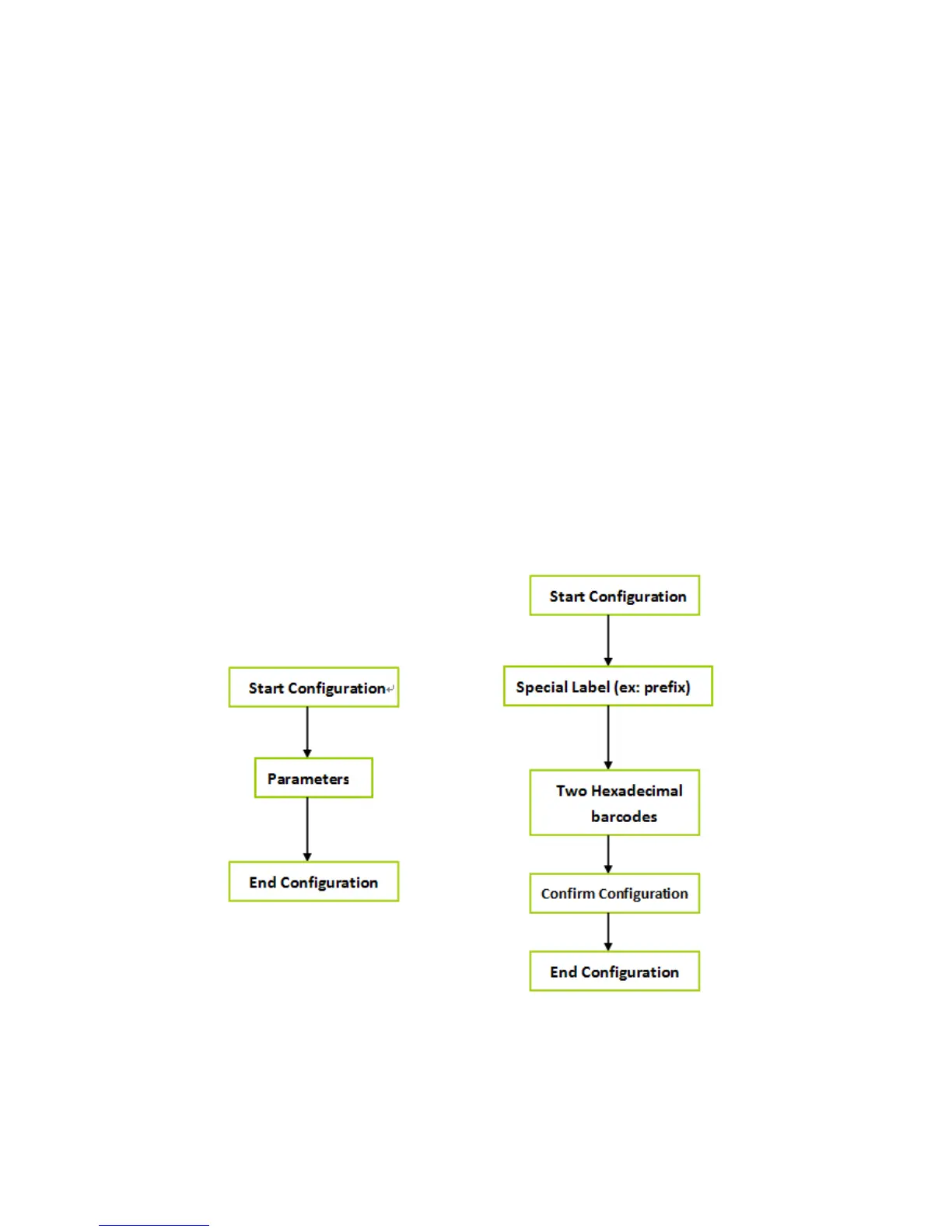
Most of time the scanner only requests one read of parameters when
changing to new values. You will hear two beeps when you successfully
set to the new values. But for some special parameters, multiple reads are
needed to complete the configuration. When use these special
parameters. In some cases, you might need to read one or more barcodes,
such as:
Hexadecimal barcodes. For example: prefix, suffix, etc.
Numeric barcodes. For example: inter-character delay, max/min length
To complete the change of setting you will need to read the “Confirm”
barcode after you read the parameter. Below is the flow chart to explain
two different configurations.


 To Next Page