Need help?
Do you have a question about the Meterman 34XR and is the answer not in the manual?
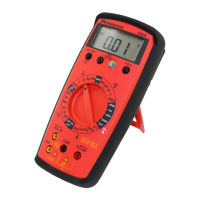
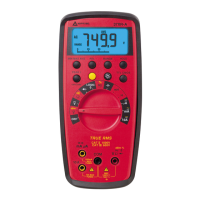
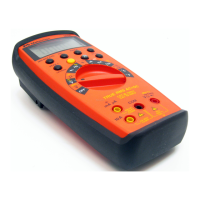
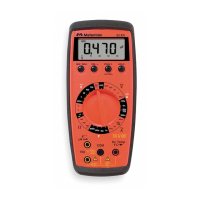
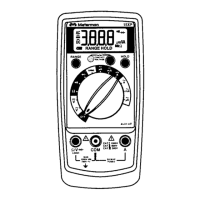
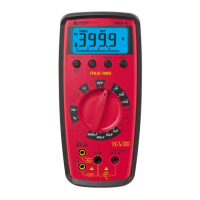
Shows measurement readings and status indicators.
Buttons for controlling meter functions like range and hold.
Rotary switch to select measurement type and range.
Input jacks for connecting test leads.
Accessory for securing the multimeter.
Panel for accessing battery and fuses.
Essential guidelines for safe operation and preventing hazards.
Explains common symbols and their meanings.
Check if the meter is functional before use.
How to manually select or use autoranging for measurement ranges.
Troubleshooting overload indications (OL) on the display.
Step-by-step guide for measuring DC voltage.
How to measure AC voltage using true RMS capabilities.
Important safety and setup steps before measuring current.
Procedure for measuring DC current accurately.
How to measure AC current using true RMS.
Steps for measuring electrical resistance.
How to check for electrical continuity using the meter.
Procedure for testing diodes.
Steps to measure electrical capacitance.
How to measure temperature using the multimeter.
Method for measuring signal frequency.
How to measure the duty cycle of a signal.
Alerts for incorrect test lead connections during current measurements.
Explains the benefit of true-rms for AC measurements.
How to use the MIN/MAX function to record extreme values.
Feature that conserves battery by turning off the meter automatically.
How to freeze the current measurement reading on the display.
Information about the display backlight feature.
Instructions for safely cleaning the multimeter.
Common issues and solutions for meter malfunctions.
Steps for replacing the multimeter's battery and internal fuses.
Information on how to obtain repair services for the multimeter.
Procedures for warranty claims and replacements.
Process for out-of-warranty repairs and replacements.
Key operating parameters and physical characteristics of the multimeter.
Expected battery operational time and power source details.
Physical size and weight of the multimeter.
List of items included in the product packaging.
Detailed specs for voltage, current, resistance, capacitance, frequency, and more.
Details on additional features like MIN MAX, warnings, and replacement parts.
Contact details for Meterman's US service center.
 General
| Battery Type | 9V |
|---|---|
| DC Voltage Ranges | 400mV, 4V, 40V, 400V, 1000V |
| Resistance Ranges | 400Ω, 4kΩ, 40kΩ, 400kΩ, 4MΩ, 40MΩ |
| Data Hold | Yes |
| Auto Power Off | Yes |
| Safety Rating | CAT III 600V |
| Type | Digital |
| Display | 4000 count LCD |
| Max Voltage Measurement | 1000 V DC/750 V AC |
| Max Current Measurement | 10A |
| DC Voltage Accuracy | +/- (0.5% + 2 digits) |
| AC Voltage Ranges | 4V, 40V, 400V, 750V |
| AC Voltage Accuracy | +/- (1.2% + 5 digits) |
| DC Current Ranges | 400µA, 4000µA, 40mA, 400mA, 10A |
| DC Current Accuracy | +/- (1.0% + 3 digits) |
| AC Current Ranges | 400µA, 4000µA, 40mA, 400mA, 10A |
| AC Current Accuracy | +/- (1.5% + 5 digits) |
| Resistance Accuracy | +/- (0.8% + 2 digits) |
| Capacitance Ranges | 40nF, 400nF, 4µF, 40µF, 100µF |
| Frequency Ranges | 10Hz, 100Hz, 1kHz, 10kHz, 100kHz, 1MHz, 10MHz |

 To Next Page