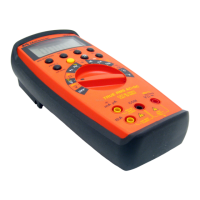
Need help?
Do you have a question about the Meterman 38XR and is the answer not in the manual?
Explains symbols used throughout the manual for clarity.
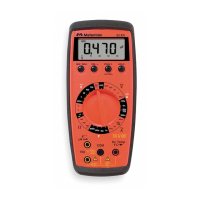
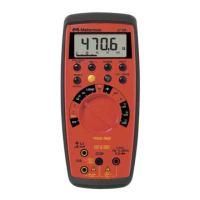
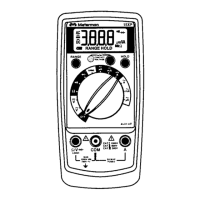
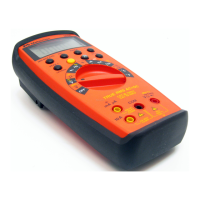
Lists the various measurement functions and features of the multimeter.
Steps to ensure the multimeter is functional before use.
How to manually select and lock measurement ranges.
How to interpret and correct overload indications.
Steps to measure DC voltage using the multimeter.
Steps to measure AC voltage using true RMS.
Steps to measure AC+DC voltage using true RMS.
Important precautions before measuring current.
Steps to measure DC current using the multimeter.
Steps to measure AC/AC+DC current using true RMS.
Steps to measure resistance using the multimeter.
Procedure for testing continuity with the multimeter.
Procedure for testing diodes with the multimeter.
Steps to measure capacitance using the multimeter.
Steps to measure temperature using the multimeter.
Steps to measure frequency using the multimeter.
Steps to measure duty cycle using the multimeter.
Steps to measure dBm using the multimeter.
Steps to measure 4-20 mA loop current.
Explains the audible warning for incorrect test lead connection.
Explains the true-rms measurement capability and applications.
How to use the Min/Max/Average recording feature.
How to use the peak hold feature for capturing peaks.
How to disable the audible beeper.
How the auto power off feature works and how to disable it.
How to perform relative measurements.
How to use the hold function to freeze readings.
Information on downloading data to a PC via RS232.
How to use and manage the display backlight.
Guidelines for cleaning the multimeter.
Advice on resolving common operational problems.
Instructions for replacing batteries and fuses.
Information required for all repair or calibration requests.
Procedures for in-warranty repairs and replacements.
Procedures for non-warranty repairs in the US and Canada.
Procedures for non-warranty repairs in Europe.
Explains the terms and duration of the product warranty.
Details on the multimeter's display and auto/manual ranging.
Specifications for operating, storage conditions, and power.
Physical dimensions, weight, and included items.
Lists safety standards and certifications the multimeter conforms to.
Specs for DC, AC, and AC+DC voltage measurements.
Specs for DC, AC, AC+DC current, and 4-20mA loop current.
Specifications for resistance and capacitance measurements.
Specifications for temperature and frequency measurements.
Specs for duty cycle, dBm, and continuity measurements.
Specs for diode test, peak hold, and auxiliary features.
Explains different input waveforms and their true RMS values.
 General
| Type | Digital Multimeter |
|---|---|
| Display | LCD |
| Display Count | 4000 |
| DC Voltage | 400mV to 1000V |
| Resistance | 400Ω to 40MΩ |
| Continuity | Yes |
| Diode Test | Yes |
| Frequency | 10Hz to 10MHz |
| Safety Rating | CAT III 600V |
| Battery | 9V |
| DC Current | 400µA to 10A |
| AC Current | 400μA to 10A |
| Temperature | -20°C to 1000°C |

 To Next Page