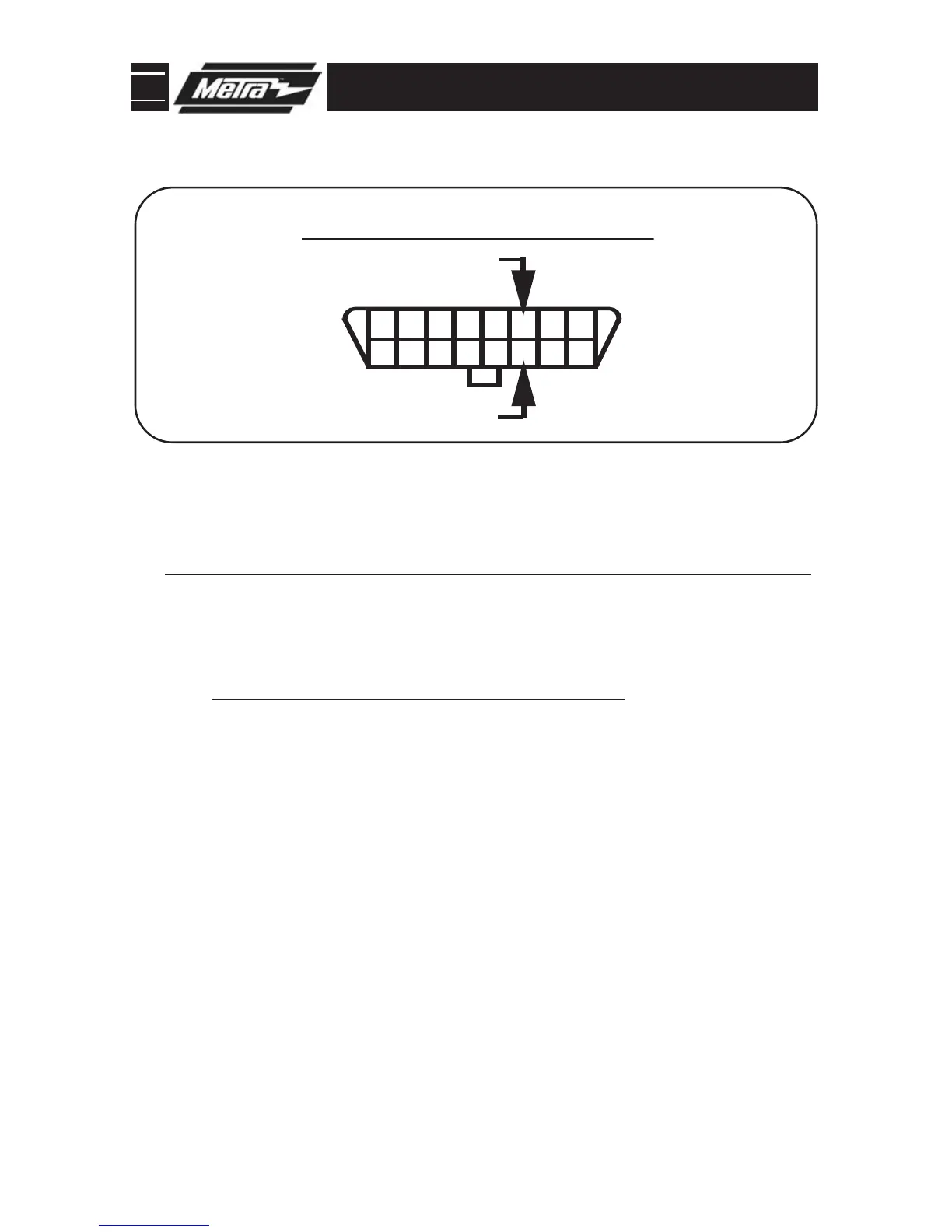
When using the Nav features of the interface you will need to connect the 2 pin
harness and run the 2 wires to the OBDII connector and connect them in the
position shown.
(Figure A)
7
Re-connect the negative battery terminal and test the unit for proper operation.
9
8
Reassemble radio and dash assemblies in reverse order of disassembly.
10
The following wires on the 10 pin harness are for the aftermarket radios that have navigation built in:
A. Connect the green wire to the parking brake wire of the aftermarket navigation radio.
B. Connect the pink /blue wire to the VSS or speed sense wire of the aftermarket navigation radio.
C. Connect the green/purple wire to the reverse wire of the aftermarket navigation radio.
NOTE:
Reverse output is NOT present on manual transmission vehicles.



 To Next Page