95-7802CH
®
2
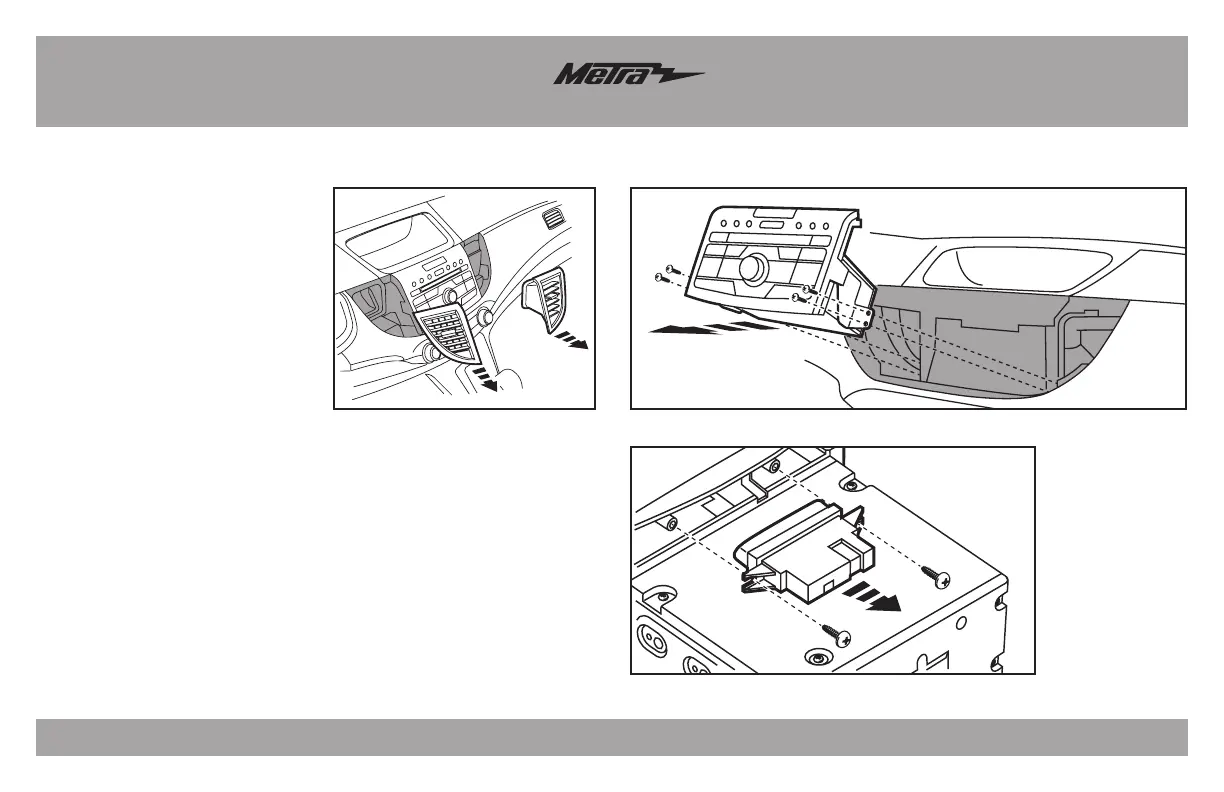
1. Unclip and remove the a/c vents
from either side of the factory
radio. (Figure A)
2. Remove (4) Phillips screws
securing the radio. (Figure B)
3. Remove (2) Phillips screws
securing the factory hazard button
to the factory radio trim panel.
(Figure C)
4. Remove the (6) panel clips from
the factory radio trim panel and
save for Kit Assembly.
Continue to Kit Preparation
Dash Disassembly
(Figure A) (Figure B)
(Figure C)



 To Next Page