1.800.221.0932
|
MetraOnline.com
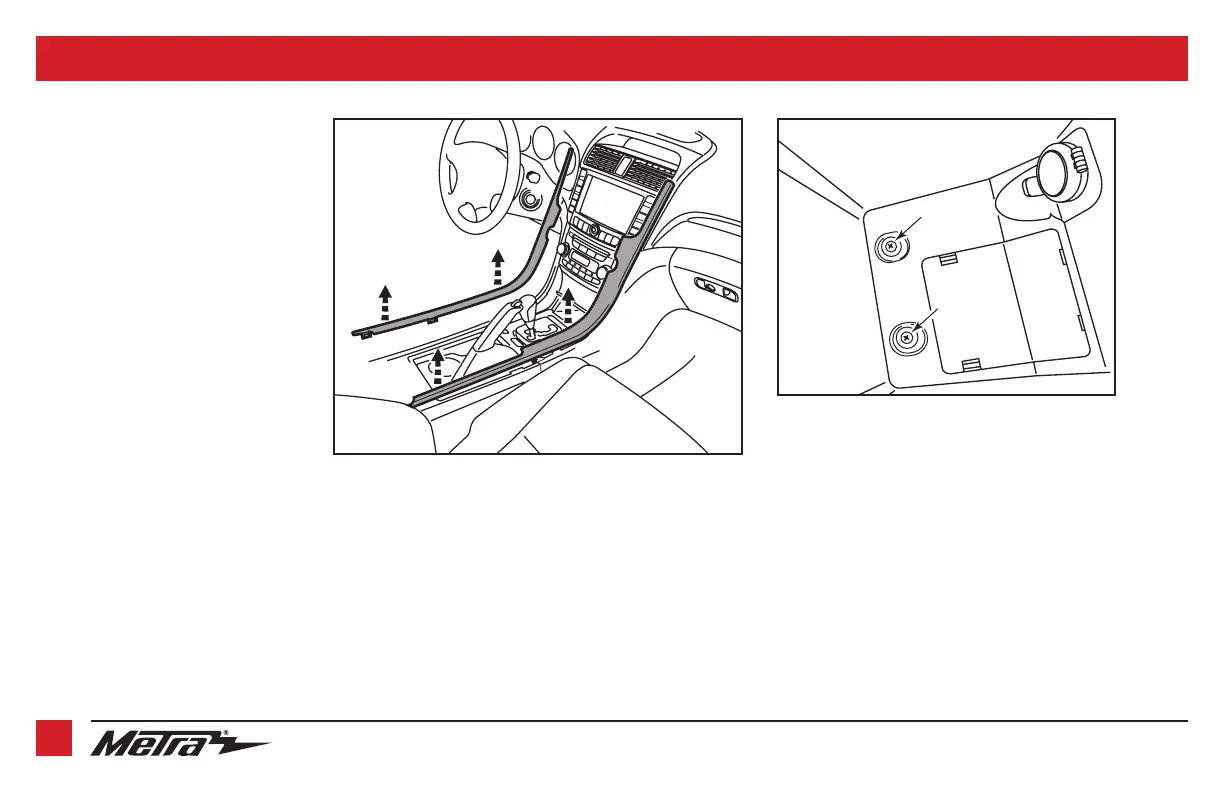
1. Unclip the trim panels along the sides of
the dash, down to the console.
(Figure A)
2. Remove (9) Phillips screws along the
top of the console, and (2) Phillips
screws inside the console’s rear storage
compartment. (Figure B)
3. Slide the console back.
Continued on the next page
DASH DISASSEMBLY
2
(Figure A)
(Figure B)
Screws to be removed inside console
storage compartment



 To Next Page