Need help?
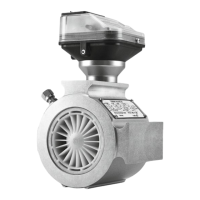
Do you have a question about the Metreg MQMe and is the answer not in the manual?
Details the purpose and intended audience of this technical manual for service personnel.
Explains symbols used in the manual to indicate hazards and provide information.
Outlines safety requirements for personnel working on gas lines and operational safety.
Defines the authorized applications and limitations for the MQMe Quantometer.
Covers the terms and conditions of the manufacturer's warranty for the MQMe Quantometer.
Details the operational flow ranges, pressure ratings, and pulse weighting for different MQMe models.
Lists essential prerequisites and best practices for safe and accurate MQMe installation.
Specifies optimal placement and orientation for the MQMe Quantometer based on gas flow direction.
Lists the specific screws, nuts, gaskets, and other materials needed for MQMe installation.
Details the step-by-step procedure for physically installing the MQMe Quantometer, including checkpoints and adjustments.
Covers general maintenance tasks, including battery replacement and care for MQMe units with and without oil pumps.
Provides detailed instructions for lubricating MQMe units equipped with oil pumps during commissioning and regular intervals.
Explains the segment LCD display, its readings for operating and standard values, and status indicators.
Details the function of the integrated volume corrector, including compressibility factor calculation methods.
Describes the options for transmitting data to control systems, including RS485 Modbus, M-Bus, and 4-20 mA output.
Illustrates the wiring diagram for connecting the MQMe without 4-20mA output, using an external power supply.
Shows the connection diagram for the MQMe with both 4-20mA output and external power supply.
Presents the wiring for the MQMe operating on battery power without external supply, with 4-20mA output.
Details the specific connection requirements for operating the MQMe in potentially explosive atmospheres (Ex zones).
Provides wiring examples for switching between LF and HF outputs on the MQMe, including connection cables.
Identifies and explains the function of the four buttons on the electronic meter index for parameter adjustment.
Outlines the steps required to access and prepare the meter index head for parameter setting.
Guides users through the process of changing the primary address of the MQMe using the device buttons.
Explains how to adjust the maximum value for the 20 mA current output via the parameter setting interface.
Details the procedure for modifying standard pressure and temperature conditions for calculations.
Describes how to reset the volume counter on the electronic meter index.
 General
| Power Supply | 85-265V AC, 50/60Hz |
|---|---|
| Operating Temperature | -10°C to +55°C |
| Storage Temperature | -25°C to +70°C |
| Voltage Range | Up to 600V AC |
| Accuracy Class | Class 0.5 |
| Frequency Range | 45-65 Hz |
| Display | LCD, Backlit |
| Communication Interfaces | RS-485 (Modbus RTU) |
| Dimensions | 96mm x 96mm |
| Mounting | Panel Mount |
| Standards Compliance | IEC 61010 |
| Data Logging | Built-in data logging with timestamp |


 To Next Page