17/12/09 Aura User Manual Issue 5
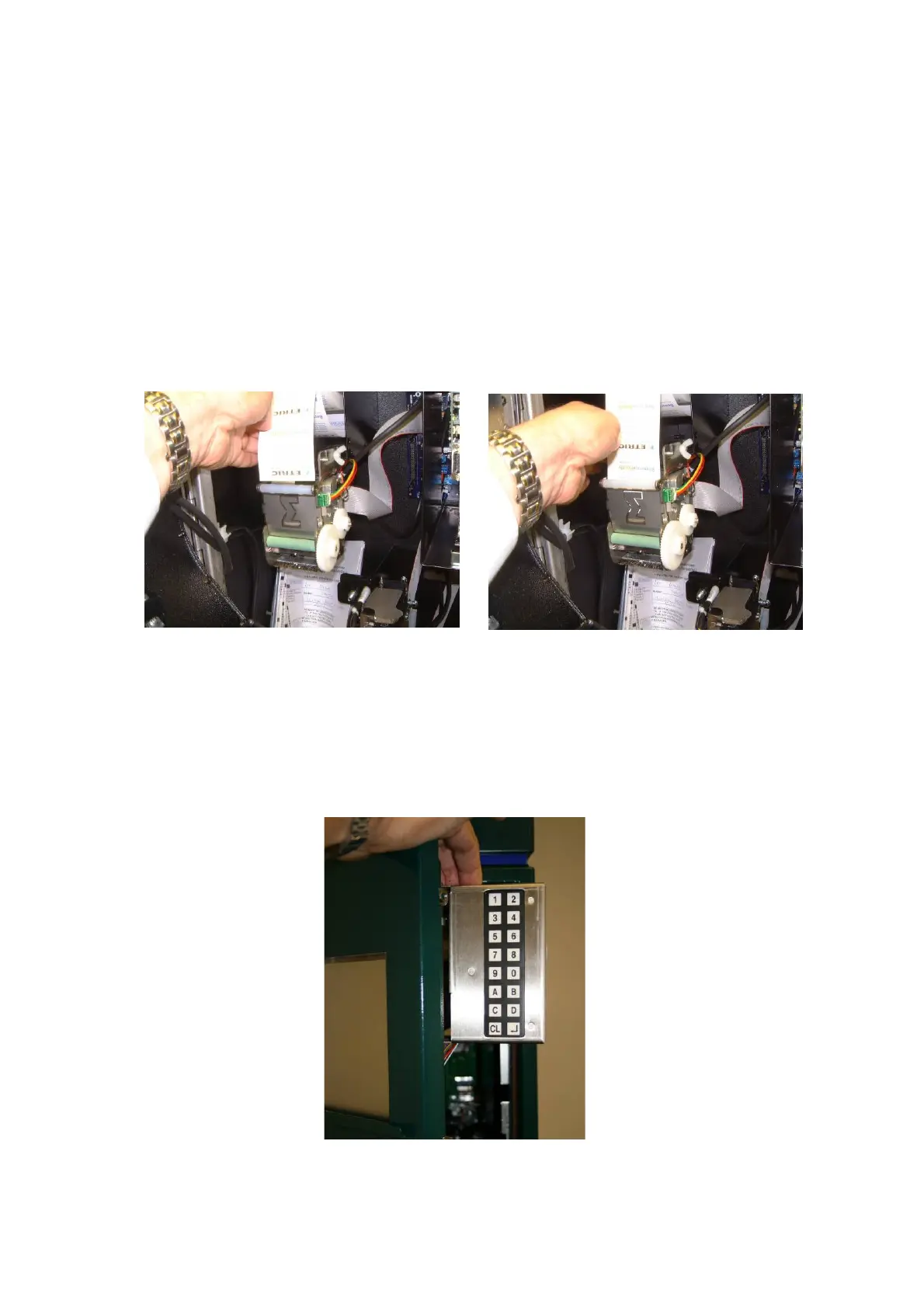
Loading the tickets into the printer
Carefully push the leading edge of the ticket between the printer plate and the
roller. Push the ticket until it stops against the print head.
Whilst slightly pushing the tickets into the printer, perform the 0 1 3 (A580) test
ticket routine to ensure correct alignment of the ticket. Rewind any excess ticket
loop back onto the roll.
Note: 0 1 1 (A301) to enter number of tickets on the new roll (non-adhesive
tickets 4000, Adhesive 2500). The default burn time should be correct, but if
necessary, set the burn time 4 1 7 (A310) to the lowest level for legible print.
Internal keypad
The internal keypad is mounted on the inside of the cabinet door. The keypad is
mounted on a hinge mechanism allowing the keypad to be moved. This enables
the user to look at the display whilst using the keypad. When finished, the keypad
will swing back behind the door.


 To Next Page