Need help?
Do you have a question about the Meyra Touring 928 9.928 and is the answer not in the manual?
Specifies required knowledge for maintenance.
How to identify the vehicle using the type plate.
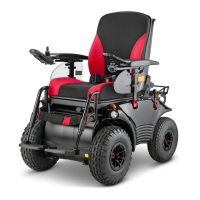
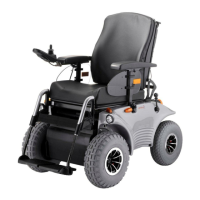
Overview of Optimus 2 model.
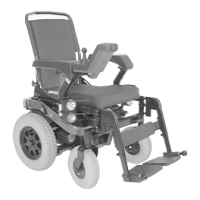
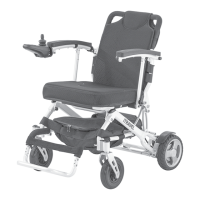
Overview of Touring 928 model.
Procedure for checking and replacing carbon brushes.
Steps to remove carbon brushes from the motor.
Procedure for fitting carbon brushes.
Checking the collector for damages.
Steps to prepare the vehicle before replacing the drive unit.
Steps to remove components related to the drive unit.
Further steps for removing the drive unit and related parts.
Steps for reassembling the drive unit.
Procedures to verify correct operation after assembly.
Functionality and effect of the motor brake.
How the motor brake works and its adjustability.
Procedure for adjusting the drum brakes.
Steps to remove the bowden cable for the drum brake.
Steps for mounting the new bowden cable.
Procedure to remove the magnetic brake.
Procedure to mount the magnetic brake.
How to adjust the aeration unit of the magnetic brake.
Verifying functionality after adjustment.
Steps to remove the bowden cable for the steering gear and magnetic brake.
Steps for mounting the new bowden cable.
Adjusting the chassis suspension for comfort.
How to adjust the seat suspension based on user weight.
Attaching the license plate to the rear panel.
Steps to remove the front panel.
Steps to remove the side panel.
Steps to remove the rear panel.
Reattaching revetment panels after service.
Information on replacing the steering unit.
Steps to remove the steering unit.
Steps to mount the steering gear.
Procedure to check the vehicle's alignment.
How to adjust the track and alignment of the wheels.
Conditions required before replacing the return sensor.
Steps to replace the return sensor.
Instructions for aligning the return sensor for symmetrical steering.
General information and safety for changing wheels.
Steps to disassemble a wheel.
Steps to assemble a wheel.
Steps to disassemble a tyre from a wheel.
Steps to assemble a tyre onto a wheel.
Overview of CAN-Bus control system components and data flow.
Features and characteristics of the operating module.
How to use the magnetic key for locking the wheelchair.
Table detailing plug assignments for various functions.
Diagram and list of plug assignments for the power module.
Details on plug assignments for the adjustment module.
Information about the PC-based service program.
Supported operating systems for the service program.
Sections within the service program: Programming, Repair, Informing.
Programming wheelchair characteristics and driving parameters.
Managing wheelchair software and settings via data records.
Adjusting the voltage for adjustment motors.
Displaying signal values from the joystick.
Measuring battery voltage, motor voltage, and current.
Information on error codes and their meanings.
Critical instructions for downloading software to ensure process integrity.
Procedure for performing an emergency boot of the system.
How to set the wheelchair type using the operating module.
Table showing display entries for different wheelchair types.
Method for changing the wheelchair type via the service program.
Default settings for the five driving programs.
Default values for the nine programmable driving parameters.
Detailed explanations for all 9 programmable CAN-bus parameters.
How to switch to the adjustment mode on the operating module.
Use of the programming foil for key allocation.
Mapping of keys in adjustment mode with foil.
Overview of adjustable driving behavior functions.
Note regarding joysticks not moved during adjustment.
How to select a driving program for parameter adjustment.
How to select a specific parameter for adjustment.
How to change the value of a selected parameter.
Steps to finalize parameter adjustments.
Procedure for resetting parameters to factory default settings.
How to unlock the drive program selection.
How to deactivate the special mode F H.
Finalizing the wheel diameter adjustment.
Finalizing the speed factor adjustment.
Adjusting horn signal behavior without a programming foil.
Table listing error numbers, types, causes, and troubleshooting.
Continuation of the CAN-Bus error list with more error codes.
Further CAN-Bus error codes and troubleshooting suggestions.
Final part of the CAN-Bus error list with additional codes.
Table of symbols, their meaning, info, and remedies.
Steps for replacing power and adjustment modules.
Procedure to remove the operating module.
Procedure to install the operating module.
Verifying the correct cable layout for the operating module.
Steps to replace a headlight bulb.
How to adjust the headlights for proper beam alignment.
Disassembling and replacing lighting components.
Specifications for various filament bulbs used.
Important notes and procedures for charging the batteries.
Notes on selecting and using battery chargers.
Characteristics and differences of wet type batteries.
Characteristics and benefits of maintenance-free batteries.
Steps for removing liquid batteries.
Steps for mounting liquid batteries.
Location and function of the main fuse.
How the power module protects components.
Checklist items for the electrical system and batteries.
Checklist for cables, connectors, and alignment.
Checklist items for the CAN-Bus control system.
Checklist items for the lighting system.
Checklist items related to driving performance and adjustments.
Checklist items for braking performance and safety.
Checklist items for the seat and arm supports.
Checklist items for the frame and body panels.
Checklist items for tyres, rims, and wheel attachment.
Checklist items for chassis screws and drive attachment.
Table of torque specifications for screwed connections.
 General
| Brand | Meyra |
|---|---|
| Model | Touring 928 9.928 |
| Category | Wheelchair |
| Language | English |


 To Next Page