Keyer Operation
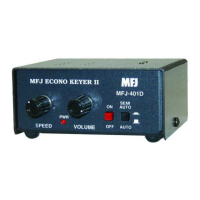
1. A 9-volt battery or an optional DC adapter may be used to supply power to the keyer.
2. The key paddle should be connected to the Key jack on the rear panel of the unit. A dual pad-
dle squeeze key or a single lever key can be used.
3. Next, the keyer should be turned on with the Power switch.
4. The Semi-Auto/Auto switch should be in the "out" position for automatic operation.
5. The user should now start sending with the paddle and adjust volume, tone, weight, and
speed to his or her preference.
6. The dot and dash memories make sending easier. The memories allow the user to key a dot
before the completion of a dash and vice versa. This feature can be checked by setting the
keyer to the lowest speed and tapping first the dash lever and then the dot lever before the
completion of the dash. The keyer will provide both the dash and the dot. The dash memory
can be checked in a similar manner. The dot insertion feature allows the user to insert a dot by
tapping the dot lever while holding the dash lever in. The dash insertion feature allows the
user to insert a dash while holding the dot lever in. The Iambic operation allows sending of al-
ternate dots and dashes when using squeeze key and with both paddles squeezed. The first
paddle contacted will determine whether a dot or dash occurs first.
7. The user may select either Iambic A or B according to his preference.
Jumper Settings
* Factory default


 To Next Page