MFJ-418 Pocket Morse Code Tutor Instruction Manual
6 © 1996-2006 MFJ Enterprises, Inc.
on CW operating and the history of Morse code, see the book, "Morse Code:
Breaking the Barrier" (MFJ-3400), available from MFJ Enterprises, Inc..
Interface Components and Accessories
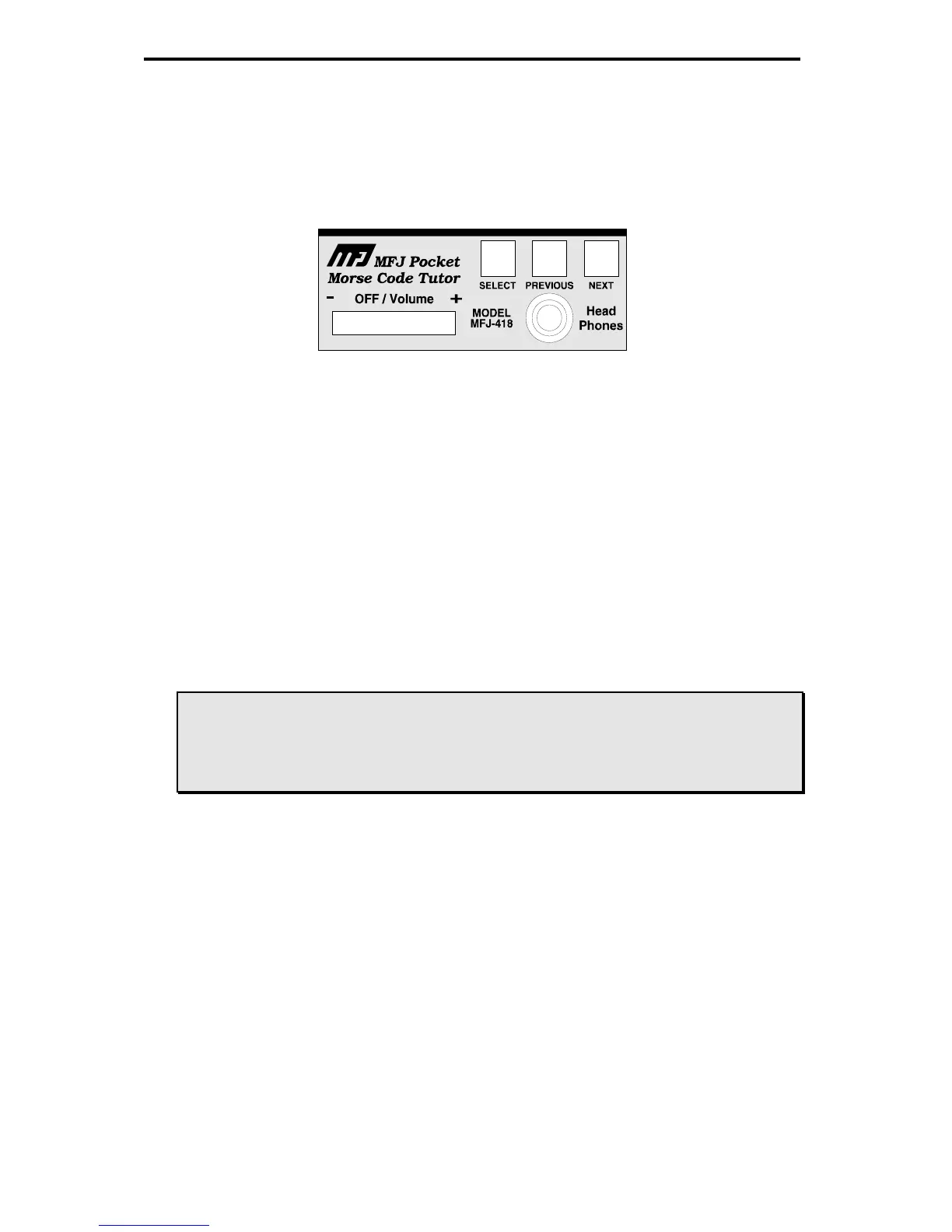
Figure 2. MFJ-418 Control Panel.
• Next button: Press to display the next menu or setting.
• Previous button: Press to display the previous menu or setting.
• Select button: Press to select the current menu or setting.
• Off/Volume control: Turns the unit on/off and controls the audio volume
to the speaker and headphones.
• Head Phones jack: A 3.5 mm jack that accepts both stereo and mono
plugs. A set of headphones can be used for privacy. Use of headphones
will disable the internal speaker. An optional foam earpiece earphone, the
MFJ-291I, is available from MFJ Enterprises, Inc..
WARNING: To prevent suffering hearing damage when using
headphones, turn the Volume control to minimum
before putting on the headphones, then slowly adjust for
a comfortable volume.
• LCD display: A 2-line by 16-character alphanumeric display.
• Internal Speaker: An 8-ohm speaker located at the back of the unit. Use
of headphones will disable the internal speaker. An optional external
speaker, the MFJ-281, is available from MFJ Enterprises, Inc..
• Battery: This unit uses a nine-volt battery (not supplied).
• Protective Pouch: The MFJ-26, available from MFJ Enterprises, Inc., is
an optional soft leather pouch custom-made for the MFJ-418. It has a
pocket/belt clip, a clear protective window for LCD display and cutouts for
buttons, control, jack and speaker.


 To Next Page