MFJ-418 Pocket Morse Code Tutor Instruction Manual
© 1996-2006 MFJ Enterprises, Inc. 3
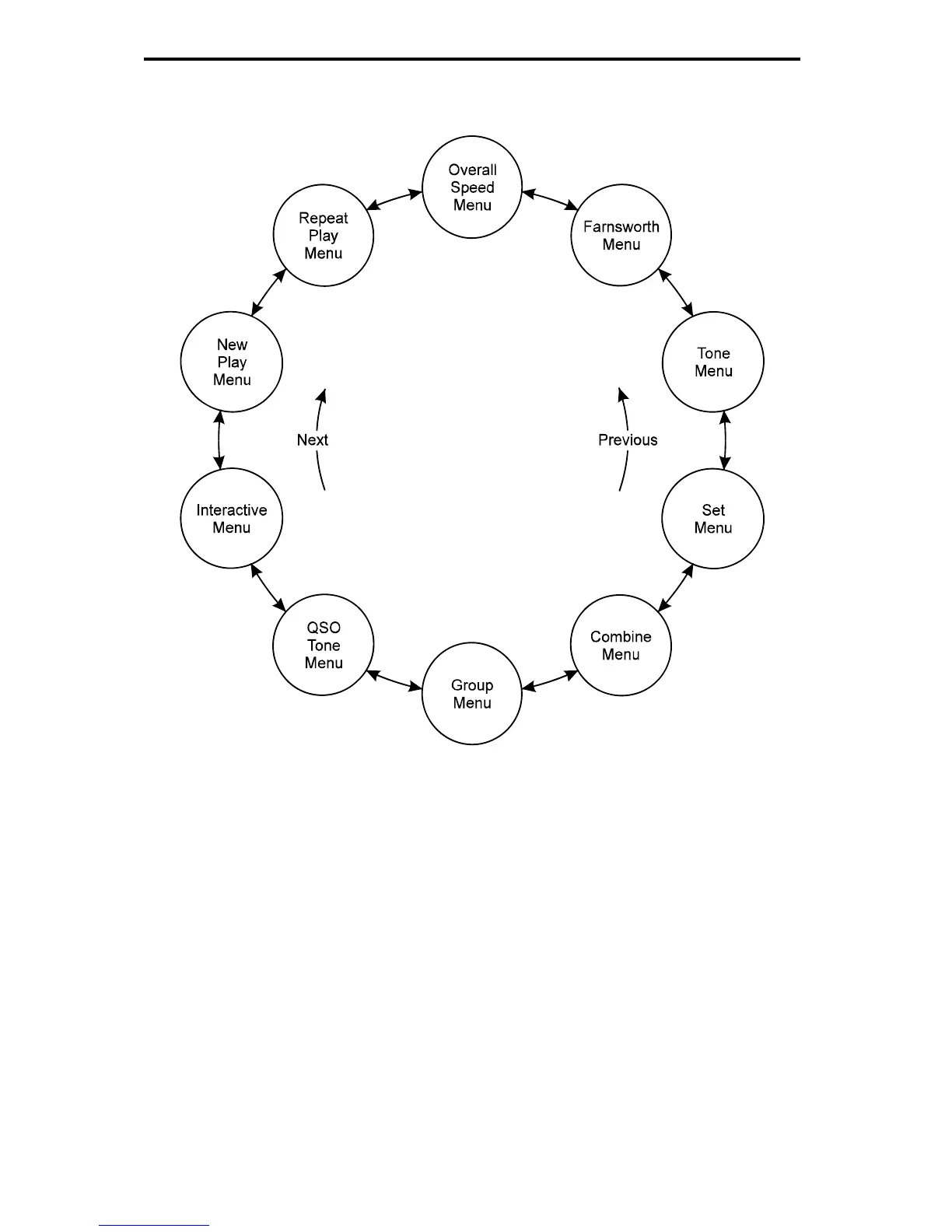
Figure 1. MFJ-418 Main Menu System.
Fast Start: Using the MFJ-418
In this section, we'll show how you can quickly set up the MFJ-418 to perform
each of its major functions. To start, turn on the unit using the Off/Volume
control and press the Next button until you reach the first menu mentioned, then
follow the instructions.
• Overall Speed Menu
– Enter this submenu by pressing Select and choose
your overall sending speed (using the Next and Previous buttons), then exit
the submenu by pressing Select again.
• Farnsworth Menu
– Farnsworth spacing means that individual characters are
sent faster than the overall sending speed. For example, many 13-wpm


 To Next Page