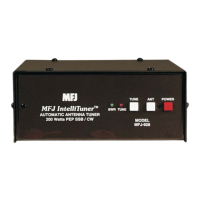
MFJ-925 Super-Compact IntelliTuner Automatic Antenna Tuner Instruction Manual
© 2006 MFJ Enterprises, Inc.
10
Installation
WARNING
● Never operate the tuner with its cover removed. Contact with the components inside the
tuner while transmitting will result in painful RF burns.
● Locate the tuner so that the rear terminals are not accessible during operation. A single
wire connection may have high voltage while transmitting.
● Disconnect the antenna from the tuner during lightning storms.
● Always tune with low power (about 10 watts). Apply maximum power only after tuning up.
● Never exceed tuner specifications.
● Do not transmit with a high SWR for extended periods of time.
1. Place the tuner in a convenient location at the operating position. With a random wire, the feed
through insulators may have high RF voltages. These voltages can cause serious RF burns if the
terminals are touched when transmitting. Be sure to locate the tuner so these terminals cannot
accidentally be contacted during operation.
2. Install the tuner between the transmitter and the antenna. Use a 50-ohm coaxial cable (such as RG-
58) to connect the transmitter (or amplifier) to the connector marked TRANSMITTER on the rear of
the tuner. See Figure 1 on page 3.
3. Connect the antenna(s) to the tuner as follows:
• Coaxial feedlines to the SO-239 connectors labeled ANTENNA.
• Random wire or single wire line antennas should be connected to the ANTENNA connector on
the back of the unit using the enclosed adaptor.
Note: Route all single and random wire antennas safely to prevent RF burn hazard.
4. A GROUND post is provided for an RF ground connection. See “Grounding Hints” on page 13.
5. Connect a 12 to 15 VDC power source to the input jack labeled POWER.


 To Next Page