... 24
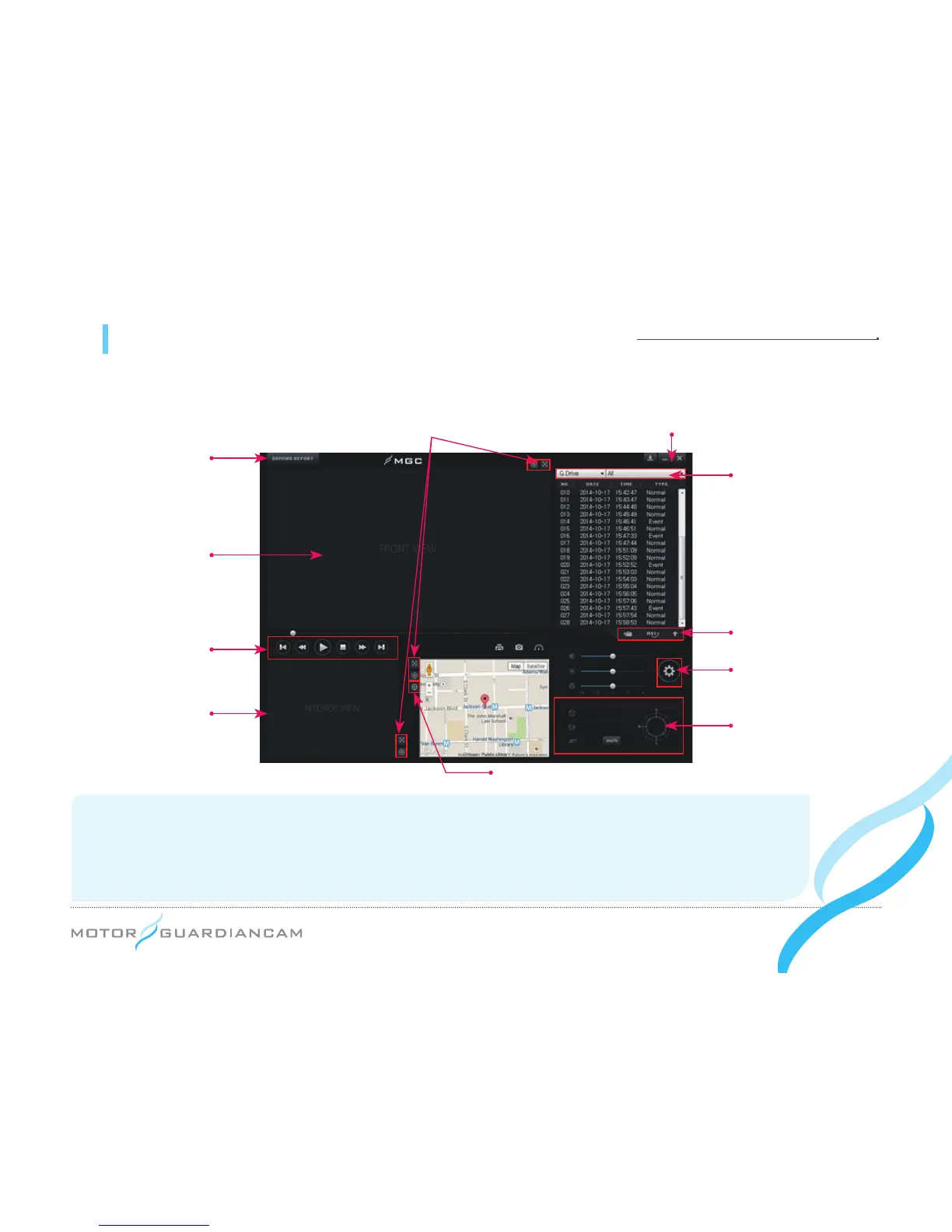
11 MDR-5000 Viewer - Description of the main screen
● Only when the password set in the viewer is entered will the viewer be able to execute video playback.
Map/3
rd
cam shift
Drive, file type
AVI conversion, open files,
change sorting methods
Drive recorder
setting
Lat./longs/vel./
directions
Drive record
Front view
Playback control
Interior view/
3
rd
Cam
Version info, viewer/firmware downloadZoom, full screen
*
Video display: Top left – Driver, Vehicle Number (However, for MDR-5000A, latitude, longitude, velocity are displayed.)
Top right – Serial numbers
Bottom – Firmware versions, record time, battery voltage (of the front videos alone)
*
Note: When the interior video’s FPS is set to “0” and the 3rd Cam is connected, the 3rd Cam is displayed in the area of
the interior view.


 To Next Page