3
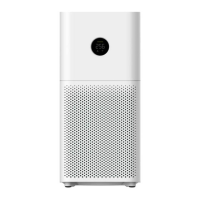
Product Overview
Display
On/Off & Mode Button
Temperature
Humidity
PM2.5
Mode
Wi-Fi
Air Quality Indicator
One of the colors below will display
according to the PM2.5 value
77
F
60%
025
Automatic: Automatically switch modes
according to the indoor air quality.
Sleep: Ultra-low noise for a comfortable
sleeping environment.
Low speed
Medium speed
High speed
Manual: Set and save the coverage
area and the purifying efficiency in the
app.
Green
Orange
Red
0-75 μg/m
3
76-150 μg/m
3
150 μg/m
3
or higher
Note: The unit of the temperature displayed on the air purifier is degrees Fahrenheit (
℉
) by default. When your air purifier is connected
with the Mi Home/Xiaomi Home app, the unit will automatically change into the one that commonly used in the region that you choose in
the app.


 To Next Page