EasyManua.ls Logo

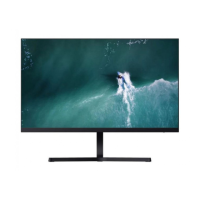
Mi RMMNT27NF - User Manual

Mi RMMNT27NF
144 pages
Print Icon
To Next Page IconTo Next Page
Loading...
Mi Desktop Monitor 27'' User Manual 1
Benutzerhandbuch zum Mi Desktop-Monitor 27'' 14
Manuale utente Mi Desktop Monitor 27'' 27
Manuel d’utilisation de Mi Desktop Monitor 27'' 40
Manual de usuario de Mi Desktop Monitor 27'' 53
Руководство пользователя Монитора Mi 27" 66
Gebruikershandleiding Mi 27 inch Desktopmonitor 79
Manual do utilizador do Monitor PC Mi 27'' 91
Monitor komputerowy Mi 27'' instrukcja obsługi 103
116
Mi ﻦﻣ ﺔﺻﻮﺑ 27 سﺎﻘﻣ ﺐﺘﻜﻣ ﺢﻄﺳ ﺔﺷﺎﺷ مﺪﺨﺘﺴﻣ ﻞﻴﻟد
Mi
27 129

Table of Contents

Questions and Answers

  • D
    Dawn HillAug 4, 2025
    What to do if the Mi Monitor indicator is blinking but there's no image?
    • C
      Christopher JohnsAug 4, 2025
      If the indicator light on your Mi Monitor is blinking but the screen remains blank, the monitor might not be receiving a signal and has entered sleep mode. First, ensure that your computer is turned on. Also, verify that your computer's graphics card is functioning correctly. Finally, check that the VGA or HDMI cable is securely plugged in.
  • X
    xpadillaAug 9, 2025
    Why is my Mi RMMNT27NF Monitor image dark?
    • V
      Virginia ReidAug 9, 2025
      If the image on your Mi Monitor appears dark, it's likely that the brightness and contrast settings need adjustment. Please adjust these settings to your desired viewing level.
  • T
    Timothy LynchAug 14, 2025
    What to do if my Mi RMMNT27NF Monitor displays 'current resolution not supported'?
    • M
      Mark HornAug 14, 2025
      If your Mi Monitor shows a 'current resolution not supported' message, it means the resolution settings are incorrect. To resolve this, use the recommended resolution settings specified for your monitor.
  • N
    Nancy BaileyAug 19, 2025
    Why won't my Mi Monitor turn on?
    • L
      lwellsAug 19, 2025
      If your Mi Monitor is unable to turn on, the most likely cause is that it's not receiving power. Ensure that the power cord is properly plugged in.
  • S
    Susan RogersAug 25, 2025
    How to unlock the OSD on my Mi Monitor?
    • D
      Dana HudsonAug 25, 2025
      If you are unable to open the menu and your Mi Monitor displays that the OSD is locked up, press and hold the 5-way navigation button in any direction for 5 seconds. This should enable the menu and unlock the OSD.
  • J
    James BrandtAug 28, 2025
    How to fix a jittery image on Mi RMMNT27NF Monitor?
    • W
      williamwilliamsonAug 29, 2025
      If the image on your Mi Monitor is jittery or has ripples, it's likely due to electrical interference. Try keeping the monitor away from other electronic devices that may be causing this interference.

Summary

Product Overview

Monitor Overview

Details the physical layout and connection ports of the monitor.

Package Contents

Lists all items included in the monitor's packaging.

Installation

Installing the Base

Step-by-step guide to assemble and attach the monitor stand.

Instructions

Connections

Explains how to connect the monitor to a computer using various cables.

Turning On;Off

Procedure for powering the monitor on and off using the navigation button.

Indicator Status

Explains the meaning of different states of the monitor's indicator light.

5-way Navigation Button Instructions

Detailed guide on using the 5-way navigation button for controls.

Menu Description

Shortcut Button Description

How to configure and use the monitor's shortcut buttons for quick access.

Main Menu Description

Overview of the monitor's main menu structure, submenus, and settings.

Precautions

Troubleshooting

Specifications

Eye Health

Low Blue Light Description

Information on the monitor's feature to reduce blue light exposure.

Regulatory Compliance Information

Mi RMMNT27NF Specifications

General IconGeneral
BrandMi
ModelRMMNT27NF
CategoryMonitor
LanguageEnglish

Related product manuals