Need help?
Do you have a question about the Mi XMMNTWQ34 and is the answer not in the manual?
Visual identification of monitor components and ports for user familiarization.
Lists all items included in the monitor box for setup.
Step-by-step instructions for attaching the monitor's stand base.
Guides on organizing and routing cables for a tidy setup.
Steps for safely mounting the monitor onto a wall.
How to connect the monitor to computers and audio devices.
Explains the purpose of physical buttons and status indicator lights.
Detailed guide to the on-screen display (OSD) menu options and settings.
Describes the monitor's low blue light function to reduce eye strain.
Essential safety guidelines for using the monitor to prevent damage or injury.
Provides solutions for frequent issues like no power or poor image quality.
Comprehensive technical data including dimensions, resolution, and refresh rate.
Information on the proper disposal and recycling of electronic equipment.
Confirms the monitor's compliance with applicable EU directives and norms.
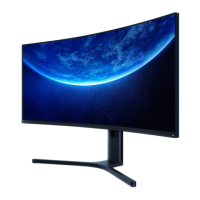
The Mi Curved Gaming Monitor 34" is a high-performance display designed to enhance your gaming and multimedia experience. This user manual provides comprehensive instructions for installation, operation, and maintenance, ensuring you get the most out of your monitor.
The Mi Curved Gaming Monitor 34" serves as a primary display unit for computers and other compatible devices, offering a wide, immersive viewing experience due to its curved design. Its core function is to render high-resolution visuals with a fast refresh rate, crucial for gaming and demanding graphical applications. The monitor supports multiple input sources, including DisplayPort and HDMI, allowing for flexible connectivity with various devices such as PCs, gaming consoles, and media players.
The monitor features a user-friendly interface accessible via a series of physical buttons located on the back. These buttons enable users to navigate through the on-screen display (OSD) menu, where they can adjust various settings to optimize their viewing experience. Key adjustable parameters include brightness, contrast, color temperature, and aspect ratio. The monitor also includes a dedicated audio output port, allowing users to connect headphones or external speakers directly to the display for an integrated audio-visual setup.
A notable feature of this monitor is its support for high refresh rates, which translates to smoother motion and reduced input lag, particularly beneficial in fast-paced gaming scenarios. The curved screen design aims to provide a more immersive field of view, making the edges of the display more comfortable to view and reducing the need for eye movement across the screen.
The Mi Curved Gaming Monitor 34" is designed with several features to enhance its usability and performance.
Installation and Setup: The monitor comes with a detachable stand and base, making assembly straightforward. The stand attaches to the monitor via a quick-release button mechanism, ensuring a secure fit. For users preferring a different setup, the monitor is also wall-mount compatible, adhering to a 100 x 100 mm VESA standard. This allows for greater flexibility in positioning the monitor to suit individual ergonomic needs or space constraints. The manual provides clear steps for both stand installation and wall mounting, emphasizing the importance of careful handling to avoid damaging the LCD screen.
Connectivity: The monitor offers versatile connectivity options. It includes multiple DisplayPort and HDMI inputs, allowing users to connect several devices simultaneously and switch between them as needed. This is particularly useful for users who might have a gaming PC, a work laptop, and a console all connected to the same display. The audio output port further simplifies cable management by allowing audio to be routed directly from the monitor to external audio devices.
Cable Management: To maintain a tidy workspace, the monitor incorporates a cable management system. A removable cover on the stand allows users to route power and signal cables neatly through an opening in the stand, minimizing clutter behind the monitor. This thoughtful design contributes to a cleaner aesthetic and helps prevent cable tangles.
On-Screen Display (OSD) Menu: The OSD menu is the central hub for customizing the monitor's settings. Users can access this menu using the function buttons on the back of the monitor. The menu is logically organized into categories such as "Brightness/Contrast," "Image," "Picture Quality Settings," "Smart Mode," "Window Settings," and "Settings."
Indicator Status: The monitor provides visual feedback through an indicator light. This light can be dimmed (off), lit (on), or blinking (in sleep mode), giving users a quick visual cue about the monitor's current operational status.
Eye Health Features: Recognizing the importance of eye comfort during prolonged use, the monitor includes a "Low Blue Light Mode." This mode helps reduce the emission of harmful blue light wavelengths (415–455 nm), which are known to contribute to eye strain. Users can enable this mode via the OSD menu to promote better eye health. The manual also provides general recommendations for maintaining eye health, such as maintaining an optimal viewing distance, taking regular breaks, and blinking frequently.
Gaming Enhancements: Beyond the high refresh rate, the monitor's "Game Mode" within the Smart Mode settings is specifically tuned to optimize visuals for gaming, potentially enhancing clarity and responsiveness. The adjustable response time settings further allow gamers to minimize ghosting and motion blur, providing a competitive edge. The FreeSync feature, when enabled, synchronizes the monitor's refresh rate with the graphics card's frame rate, eliminating screen tearing and stuttering for a smoother gaming experience.
Maintaining the Mi Curved Gaming Monitor 34" is relatively simple, focusing on ensuring its longevity and optimal performance.
Cleaning: The manual implicitly advises against pressing on the LCD screen during handling or cleaning, indicating the delicate nature of the display surface. While specific cleaning instructions are not detailed, general monitor care practices would apply: using a soft, lint-free cloth, possibly dampened with a specialized screen cleaner, to gently wipe the screen and exterior surfaces. It is crucial to avoid harsh chemicals or abrasive materials that could damage the finish or the screen coating.
Environmental Considerations: The monitor is designed for use in cool, dry, and well-ventilated environments. Users are advised to keep the monitor away from heat sources and to ensure that the heat dissipation vents on the back are not covered or blocked. This prevents overheating, which can degrade performance and shorten the lifespan of electronic components. The manual also warns against using the monitor in damp or humid environments, such as bathrooms or kitchens, to prevent damage from moisture.
Power Management: To protect the monitor from potential damage due to power surges or lightning strikes, users are advised to unplug the monitor from the electrical outlet if it will not be used for an extended period. This simple precaution can prevent costly repairs. Additionally, the manual emphasizes the importance of not overloading electrical outlets to avoid fire or electric shock hazards.
Cable Integrity: The manual stresses the importance of using genuine power and DisplayPort cables. If these cables are damaged, they must be replaced with genuine parts purchased from the manufacturer or an authorized service department. Users are also cautioned against excessively pulling, twisting, or bending the power cord, as this can lead to internal damage and potential safety hazards.
Troubleshooting: The manual includes a troubleshooting section to help users diagnose and resolve common issues. This section covers problems such as the monitor not turning on, a dark image, jittery images, or no signal. For instance, if the monitor doesn't turn on, users are directed to check the power cord connection and the on/off button. If the image is dark, adjusting brightness and contrast is suggested. For issues like jittery images, keeping the monitor away from electronic devices that cause interference is recommended. If there's no signal, checking computer power, graphics card functionality, and DisplayPort cable connection are key steps. For issues beyond basic troubleshooting, users are advised not to attempt disassembly or repair themselves but to contact the after-sales service department, ensuring professional and safe resolution of complex problems.
Regulatory Compliance: The manual includes information on WEEE (Waste Electrical and Electronic Equipment) disposal and recycling, highlighting the manufacturer's commitment to environmental responsibility. Users are instructed to dispose of the monitor at designated collection points to ensure proper recycling and prevent negative environmental and health impacts. The EU Declaration of Conformity is also provided, assuring users that the equipment complies with applicable European Directives and Norms.
In summary, the Mi Curved Gaming Monitor 34" is a feature-rich display designed for an immersive and high-performance visual experience. Its comprehensive usage features, including versatile connectivity, advanced OSD controls, and eye-care functions, cater to a wide range of user needs, from casual browsing to intensive gaming. The straightforward installation, thoughtful cable management, and clear maintenance guidelines ensure that users can enjoy their monitor with ease and confidence, while also adhering to safety and environmental standards.
 General
| Screen Size | 34 inches |
|---|---|
| Aspect Ratio | 21:9 |
| Brightness | 300 cd/m² |
| Curvature | 1500R |
| Resolution | 3440 x 1440 |
| Color Gamut | 121% sRGB |
| Adaptive Sync | AMD FreeSync |
| Ports | 2x HDMI 2.0, 2x DisplayPort 1.4 |

 To Next Page