17
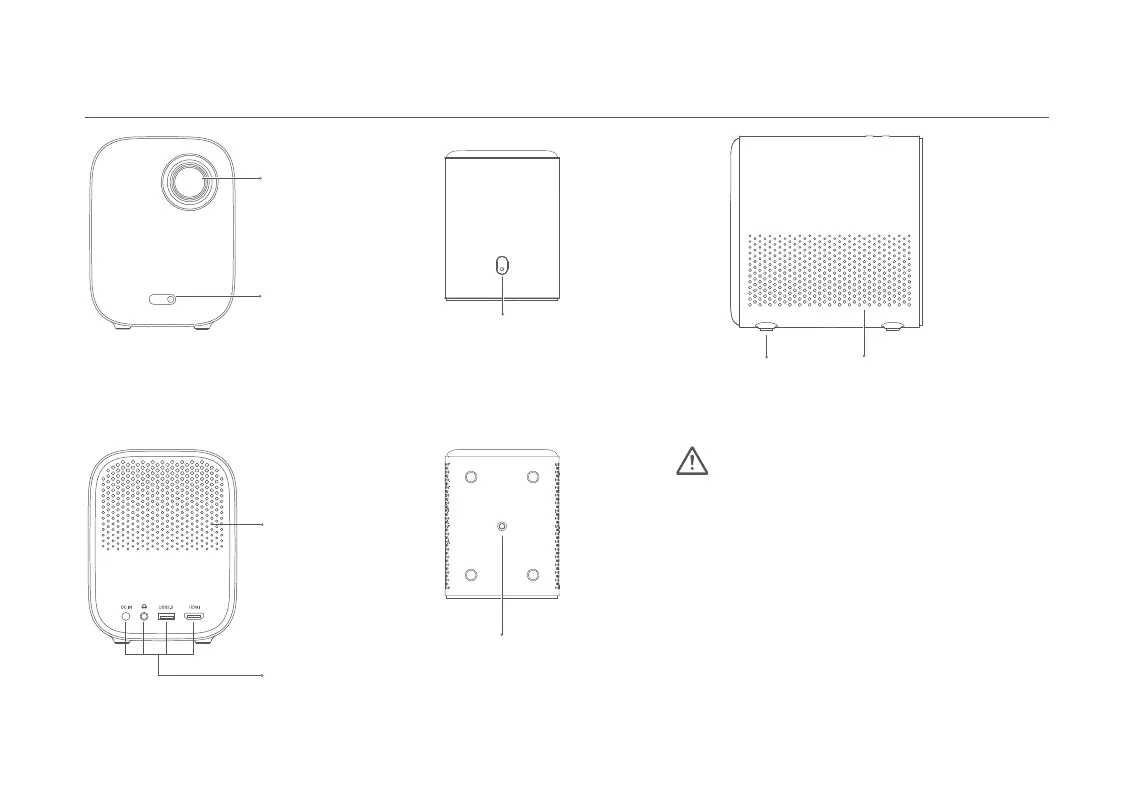
Projection Lens
On/Off Button
(
Press to turn on
)
Rubber Feet Air Inlet
Caution
Heat Dissipation Vent
1/4'' Female Threaded
Tripod MountConnection Ports
Camera
-
The air vents allow the air to exchange internally and
externally.
Do not place any objects within 20 cm of the
air vents.
-
Do not look directly into the lens to avoid eye damage
as the projector will emit strong light during working.
-
If you plan to mount the projector on a suspended
ceiling, make sure to select the right screws and bracket
for it.
Exterior


 To Next Page