EasyManua.ls Logo

Mi Smart 2 Pro - User Manual

Mi Smart 2 Pro
19 pages
Print Icon
To Next Page IconTo Next Page
Loading...
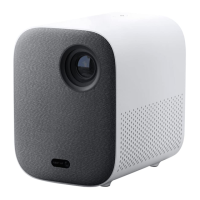
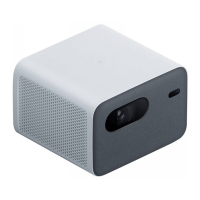
Mi Smart Projector 2 Pro
User Manual

Questions and Answers

  • S
    Sandra LopezJul 28, 2025
    How to fix Mi Smart 2 Pro if remote control is not paired?
    • A
      arielfitzgeraldJul 28, 2025
      If you are experiencing issues with your Mi Projector remote control (missing or not paired), turn off the projector and disconnect it from the power. Wait five minutes, then plug it back in and turn it on. After the projector restarts, pair the remote control again.
  • J
    Jennifer MoralesAug 4, 2025
    How to resolve screen display error on Mi Projector?
    • L
      Lisa BrennanAug 4, 2025
      If you encounter a screen display error on your Mi Projector, turn off the projector and disconnect it from the power. Then, plug the power cord back in and turn the projector on.
  • W
    William VelezAug 13, 2025
    What to do if my Mi Projector overheats and turns off?
    • Z
      zsnyderAug 13, 2025
      If your Mi Projector overheats and automatically turns off, remove any obstructions from the air inlets and outlets to ensure smooth airflow. Then, restart the projector.
  • K
    Kelly JohnsonAug 19, 2025
    What to do if Android system crashes on Mi Projector?
    • L
      Laura WellsAug 19, 2025
      If the Android system crashes on your Mi Projector, turn off the projector and disconnect it from the power. Then, plug the power cord back in and turn the projector on.

Summary

Safety Instructions

General Safety Warnings

Key safety warnings covering electrical shock, handling, temperature, grounding, and transport.

Hazard Prevention and Precautions

Cautionary Notes

Connection Ports

Remote Control Guide

Projection Distance and Screen Size

How to Use

Image Focus Adjustment

Keystone Correction

Bluetooth Speaker Mode

Smart Temperature Control

Care and Maintenance

Technical Specifications

Troubleshooting Guide

Mi Smart 2 Pro Specifications

General IconGeneral
Display TechnologyDLP
Brightness1300 ANSI Lumens
Light SourceLED
Lamp Life30, 000 hours
Dimensions215 x 201 x 143 mm
Resolution1920 x 1080 (FHD)
Operating SystemAndroid TV
RAM2GB
Internal Storage16GB
Wi-Fi802.11 a/b/g/n/ac
ConnectivityHDMI, USB
Speakers10W x 2
Noise Level<28dB

Related product manuals