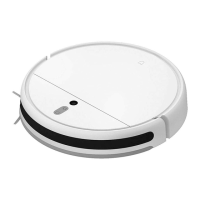
EasyManua.ls Logo

Mi STYTJ05ZHMHW - User Manual

Mi STYTJ05ZHMHW
11 pages
Print Icon
To Next Page IconTo Next Page
Loading...
For further information, please go to www.mi.com
Manufactured for: Xiaomi Communications Co., Ltd.
Manufactured by: Dreame (Tianjin) Information Technology Co., Ltd. (a Mi Ecosystem company)
Address: Room 2112-1-1, South District, Finance and Trade Center, No.6975 Yazhou Road, Dongjiang Bonded Port Area, Tianjin Pilot Free Trade Zone, Tianjin, China
Mi Robot Vacuum-Mop 2 Ultra User Manual
Importer:
Beryko s.r.o.
Na Roudné 1162/76, 301 00 Plzeň
www.beryko.cz

Questions and Answers

  • K
    Kenneth SnowAug 8, 2025
    Why is my Mi STYTJ05ZHMHW Vacuum Cleaner not cleaning properly?
    • K
      Kathy GonzalezAug 8, 2025
      If your Mi Vacuum Cleaner isn't cleaning efficiently or is leaving dust behind, check the dust compartment to see if it's full and empty it if needed. Also, inspect the filter and clean it if necessary. Finally, check the brushes to see if anything is wrapped around them.
  • L
    lkingAug 12, 2025
    What to do if my Mi STYTJ05ZHMHW does not turn on?
    • K
      Kelly TaylorAug 13, 2025
      If your Mi Vacuum Cleaner does not turn on, it might be due to a low battery, especially if the ambient temperature is below 0°C or above 40°C. Please charge it before use.
  • A
    Andrea LunaAug 18, 2025
    What to do if my Mi STYTJ05ZHMHW is not charging?
    • R
      robert49Aug 18, 2025
      If your Mi Vacuum Cleaner is not charging, check whether the power cord is properly plugged into both the charging dock and the power outlet. Also, make sure the charging contacts are clean. If not, wipe the charging contacts on both the dock and the vacuum-mop with a dry cloth.
  • C
    courtney14Aug 23, 2025
    What to do if my Mi Vacuum Cleaner is not working as expected?
    • D
      Destiny ChavezAug 23, 2025
      If your Mi Vacuum Cleaner is not working as expected, turn it off and then turn it on again.
  • C
    Craig CarrollAug 28, 2025
    Why is my Mi STYTJ05ZHMHW Vacuum Cleaner making a strange noise?
    • J
      Jonathan LeeAug 28, 2025
      If your Mi Vacuum Cleaner is making a strange noise, a foreign object might be caught in the brush, side brush, or one of the main wheels. Stop the vacuum-mop and remove any debris.
  • T
    theresa96Sep 2, 2025
    Why won't my Mi STYTJ05ZHMHW return to the charging dock?
    • C
      Cynthia GreenSep 2, 2025
      If your Mi Vacuum Cleaner isn't returning to the dock to charge, check for obstacles around the charging dock. Place the dock in a location without any obstacles around it. Ensure there are no obstacles within 0.5 meters on both sides and within 1.5 meters in front of the dock. Also, clean the dock's signaling area.

Summary

Safety Information

Usage Restrictions

This section outlines age limits, supervision requirements, and general usage guidelines for safety.

General Safety Precautions

Details critical warnings about product placement, temperature, liquids, and interaction with children or pets.

Laser Safety Information

Product Overview

Vacuum-Mop Components

Details the buttons, indicator lights, and their functions on the vacuum-mop unit.

Installation

Place Charging Dock and Charge

Provides instructions for positioning the dock and initial charging.

How to Use

Connect with Mi Home;Xiaomi Home App

Explains how to download, install, and connect the vacuum-mop to the Mi Home app.

Start Cleaning

How to initiate a cleaning cycle and what happens upon completion.

Operation Modes

Advanced Functions and Maintenance

Restarting and Factory Reset

Steps for restarting the device and restoring factory settings.

Using the Mopping Function

Care & Maintenance

Sensors and Charging Contacts

Maintenance and Troubleshooting

Troubleshooting Common Issues

Addresses frequent problems like not turning on, charging, or connecting to Wi-Fi.

Troubleshooting and Specifications

Mopping Function Troubleshooting

Solutions for issues related to scheduled cleaning, water flow, and resuming cleaning.

Mi STYTJ05ZHMHW Specifications

General IconGeneral
ModelSTYTJ05ZHMHW
TypeRobot Vacuum Cleaner
Battery Capacity3200 mAh
Navigation TypeLDS Laser Navigation
Charging Time4 hours
Noise Level65 dB
Power40 W
Weight3.6 kg
ControlApp Control, Voice Control
Water Tank Capacity0.25 L

Related product manuals