June 2020
Page 8 of 21
Configuration Options
There are many ways to configure Altum. The following summaries will help you choose the
one that meets your needs. Many other options are possible. If you have any questions about
your integration, please contact support@micasense.com
Default + Overlap mode
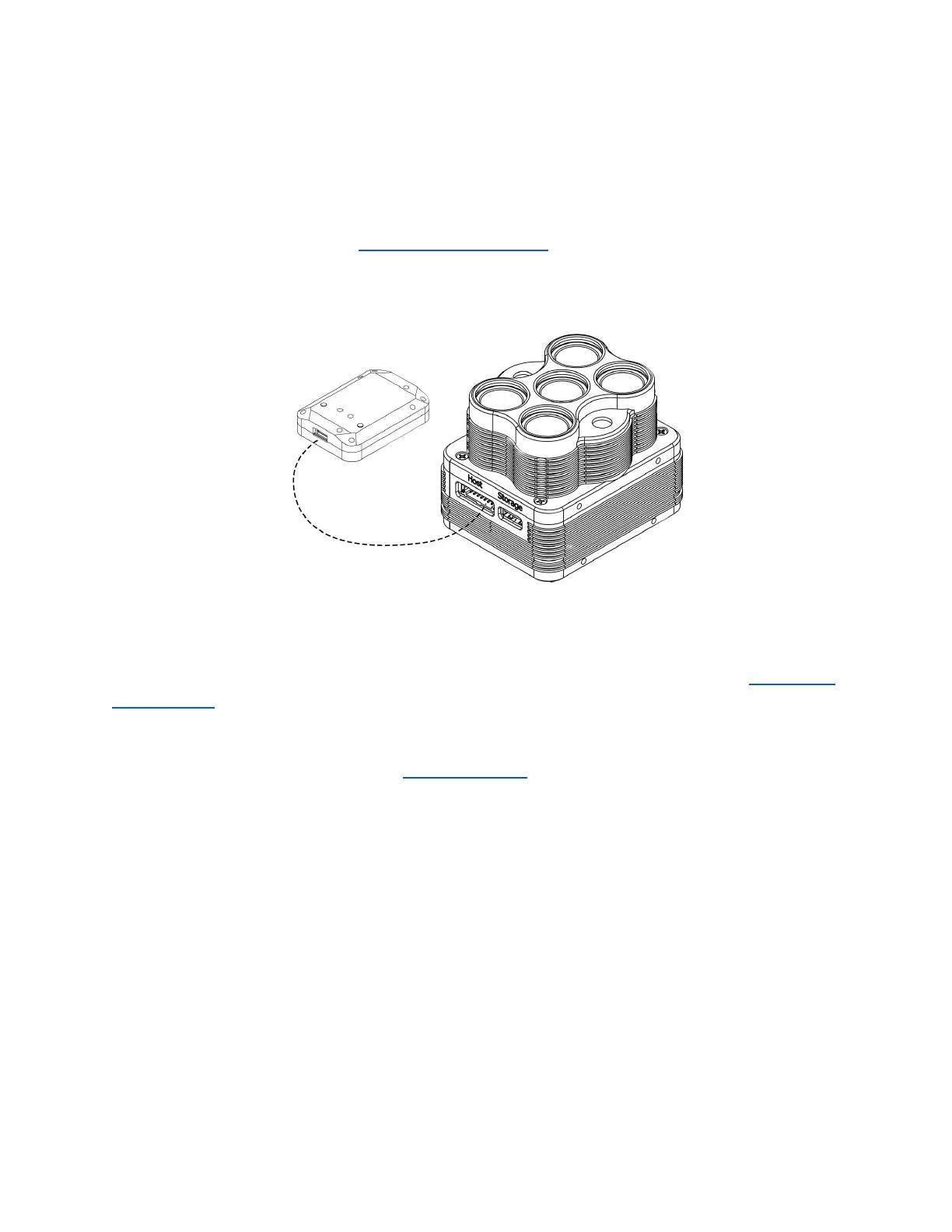
The default configuration uses the DLS 2’s integrated GPS. Use the provided cable to connect
the DLS 2 to the DLS 2 board on the HOST connector. Ensure the DLS 2’s physical installation
meets the requirements outlined later in the DLS 2 section of this guide. Connect a compatible
power supply to pins 1 and 2 on the HOST connector. For more details about power, see the
Input and Output section of this guide.
Once attached to the aircraft, use the Flight Calculator to determine the necessary overlap
percentage for your desired Ground Sample Distance and Target Altitude, then input the
parameters into the Overlap settings, outlined in the Triggering section in this guide. The
sensor will begin capturing once it is within the Target Altitude Tolerance of your Target
Altitude. It will capture often enough to maintain your overlap percentage at your desired
altitude. This will ensure enough coverage to create a mosaic of your flight area with your
preferred photogrammetry software.
© 2020 MicaSense, Inc


 To Next Page