Copyright © 2009-2014 Micca. All rights reserved. Page | 25
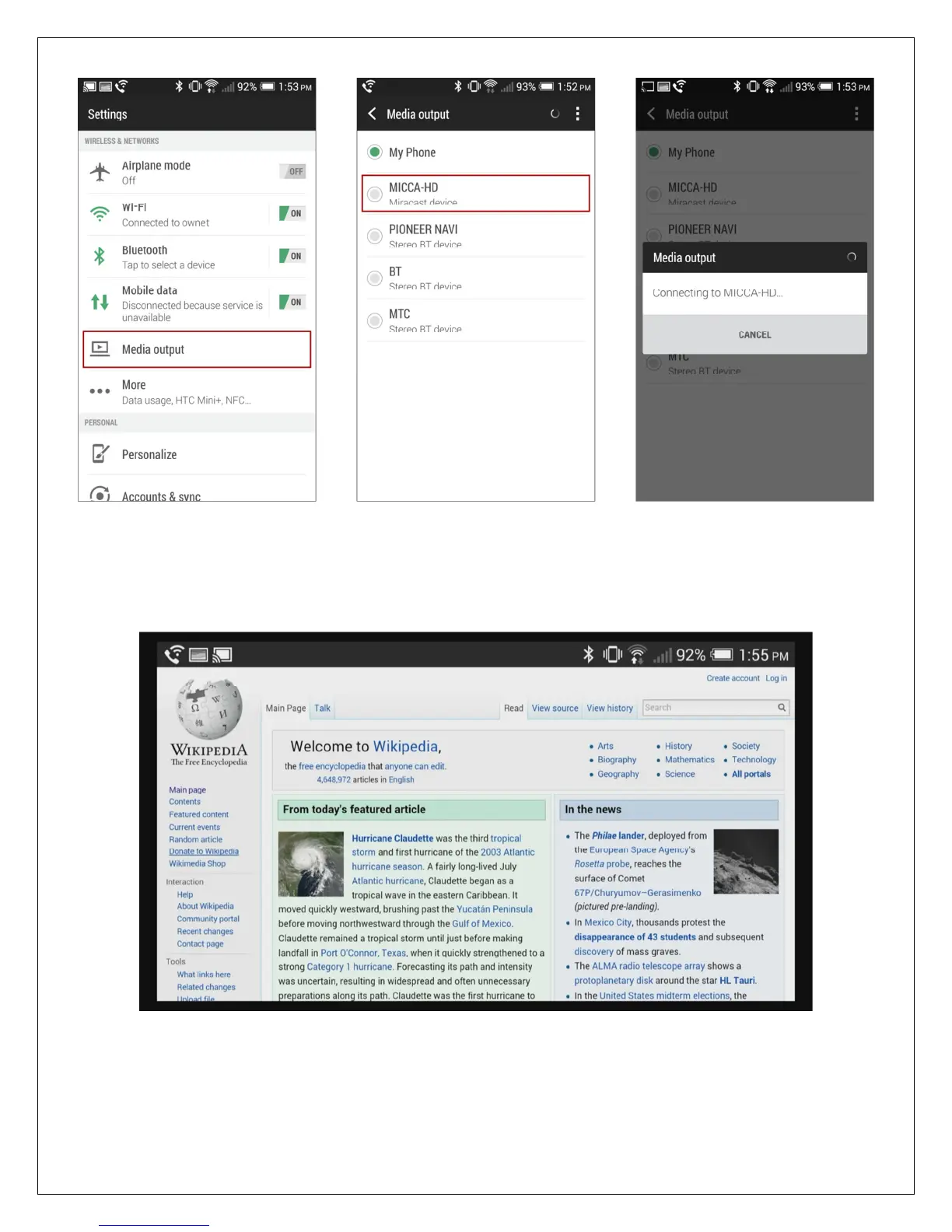
If the screen cast is successful, the screen and sound from the portable device will be displayed
by the player. You may then proceed to use the portable device as normal to view web pages,
images, play videos, and music. The sample cast screen below shows a web page that has
been mirrored to the player using an Android smartphone.
To stop screen mirroring, press the STOP button on the remote control. The player will return to
its Cast Screen – Ready screen and wait for new connection requests. To return to the player’s
main menu, press the RETURN button on the remote control.



 To Next Page