Copyright © 2009-2011 Micca, Ltd. All rights reserved.
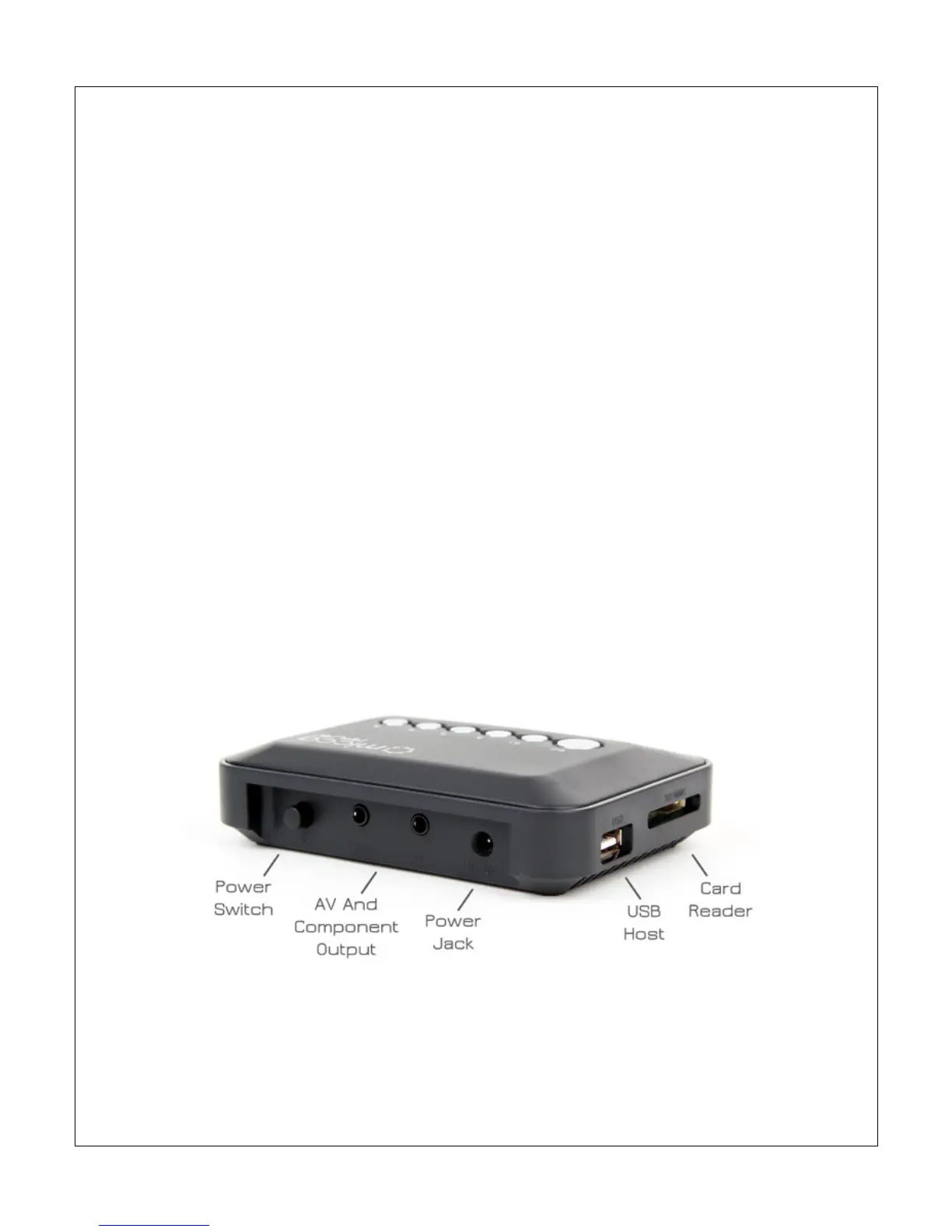
• Master Power Switch – Turns the MPLAY on or off without using the IR
remote control. When this switch is Off, the MPLAY cannot be turned on
with the remote. When this switch is On, the MPLAY can be turned on or
put into standby mode with the IR remote.
• AV Output Connection – Outputs stereo audio and composite video signal
for use with analog TVs. Only use the AV cable that was supplied with the
MPLAY to ensure correct polarity.
• YPrPb Component Connection – Outputs 720p video signal for use with
HDTVs. Note that this connection contains video signals only. The AV Out
connection must be used to provide audio. Only use the component cable
that was supplied with the MPLAY to ensure correct polarity.
• DC 5V – DC power input. Use only the AC adapter that was supplied with
the MPLAY to ensure correct voltage, current, and polarity. Incorrect AC
adapter usage can cause damage to the MPLAY.



 To Next Page