Copyright © 2009-2018 Micca. All rights reserved. Page | 6
• A temporary music source such as a smartphone can be connected to the AUX jack on
the front of the Micca ON3 using the included 3.5mm AUX audio cable. The AUX input
has priority over the rear RCA input. To resume playing music from the RCA input,
disconnect the AUX input from the Micca ON3.
NOTE: The Micca ON3 electronically filters out signal below 30Hz, which effectively eliminates
low frequency rumbles.
4.3 Use With a TV
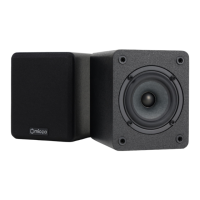
This section explains how to use the Micca ON3 with a TV. Since the Micca ON3 does not have
an optical input, it is important that the TV has analog audio output jacks, or is used with an
optical-to-analog-stereo converter. For best results, follow the recommended configuration
suggestions below:
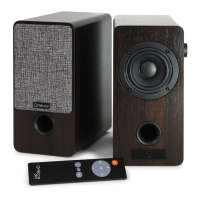
• Place the Micca ON3 speakers on either side of the TV.
• Use a RCA-to-RCA audio cable (not included) to connect the audio output from the TV to
the RCA input on the back of the Micca ON3. If there is no analog audio output on the TV,
check to see if there is a headphone audio output jack, which can also be used. If only an
optical audio output is available, a separate optical-to-analog-stereo converter must be
used. Consult the user’s manual for your TV to learn more about what audio output
options are available.
• Set the TV’s volume output to maximum, and use the Micca ON3’s volume control.
• If it is preferred to use the TV’s, press the “75%” button on the ON3’s remote control to
set its volume. Higher volume settings beyond 75% may have more audible background
noise.
• A temporary music source such as a smartphone can be connected to the AUX jack on
the front of the Micca ON3 using the included 3.5mm AUX audio cable. The AUX input
has priority over the rear RCA input. To resume playing music from the RCA input,
disconnect the AUX input from the Micca ON3.
4.4 Use For Background Music
This section explains how to use the Micca ON3 for background music in a small room such as
office or kitchen. For best results, follow the recommended configuration suggestions below:
• Place the Micca ON3 speakers a counter, bookshelf, or table. For best results, avoid
placing near a corner of the room.
• Using the provided 3.5mm to RCA cable, connect a smartphone, tablet, MP3 player, or
any other audio source to the RCA input on the back of the Micca ON3.
• Set the audio source volume output to maximum, and use the Micca ON3’s volume


 To Next Page