Need help?
Do you have a question about the Micca ON3 and is the answer not in the manual?
Crucial safety and operating instructions for product use and future reference.
Guidance to prevent hearing damage from excessive volume, referencing CDC recommendations.
Details compliance with FCC rules, including operational conditions and interference guidelines.
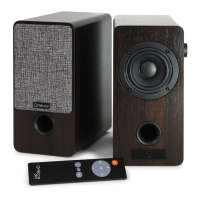
Overview of key product features, including driver, enclosure, remote control, and included accessories.
Diagram and description of rear panel, front panel, and remote control connections and functions.
Guidance on connecting and using the Micca ON3 speakers with a computer for optimal audio.
Instructions for connecting and using the Micca ON3 speakers with turntables, noting pre-amp requirements.
Steps to connect and operate the Micca ON3 speakers with a television for home entertainment.
Recommendations for using the Micca ON3 speakers for background music in various environments.
Instructions for powering the Micca ON3 speakers on, off, and into standby mode for power saving.
Details on adjusting playback volume using the dial and remote, including mute and shortcut settings.
Explanation of the two built-in EQ profiles (EQ1 and EQ2) and how to select them for sound tuning.
Information on how to store the remote control magnetically below the side volume dial when not in use.
General specifications including power source voltage, AC adapter output, and speaker dimensions.
Audio specifications such as RMS power, frequency response, driver type, and enclosure design.

 To Next Page
 General