Copyright © 2009-2018 Micca. All rights reserved. Page | 5
4 Connection and Setup
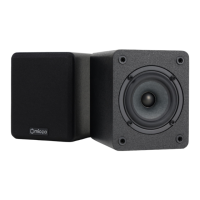
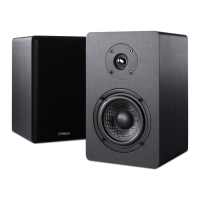
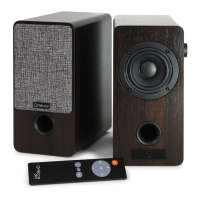
Micca ON3 bookshelf speakers can be used in a variety of configurations, such as near field
computer speakers, stereo speakers for a turntable, TV speakers in a small room, or as
background music speakers in an office or kitchen. This chapter explains the various ways in
which the connections and settings should be used.
4.1 Use as Computer Speakers
This section explains how to use the Micca ON3 as computer speakers. For best results, follow
the recommended configuration suggestions below:
• Place the Micca ON3 speakers on either side of the computer monitor.
• Using the provided 3.5mm to RCA cable, connect the computer’s 3.5mm audio output to
the RCA input on the back of the Micca ON3. For desktop computers, the main stereo
audio output jack is typically located on the back and green colored. For laptops, use the
headphone output jack.
• Set the computer’s volume output to maximum, and use the Micca ON3’s volume control.
• If it is preferred to use the computer’s volume control, press the “75%” button on the
ON3’s remote control to set its volume. Higher volume settings beyond 75% may have
more audible background noise.
• A temporary music source such as a smartphone can be connected to the AUX jack on
the front of the Micca ON3 using the included 3.5mm AUX audio cable. The AUX input
has priority over the rear RCA input. To resume playing music from the RCA input,
disconnect the AUX input from the Micca ON3.
4.2 Use With Turntable
This section explains how to use the Micca ON3 with turntables. Since the Micca ON3 does not
have a phono stage, it is important that the turntable has an internal phono pre-amp, or is used
with an external phono pre-amp. For best results, follow the recommended configuration
suggestions below:
• Place the Micca ON3 speakers on either side of the turntable, ensure that the speakers
do not physically touch the turntable, which may cause undesirable operation.
• Use a RCA-to-RCA audio cable (not included) to connect the audio output from the
turntable to the RCA input on the back of the Micca ON3. Note that if the turntable does
not have an internal phono pre-amp, a separate phono pre-amp must be used. Consult
the user’s manual for your turntable to check if a separate phono pre-amp is needed.
• Use the Micca ON3 volume control to set the desired playback volume.


 To Next Page