8
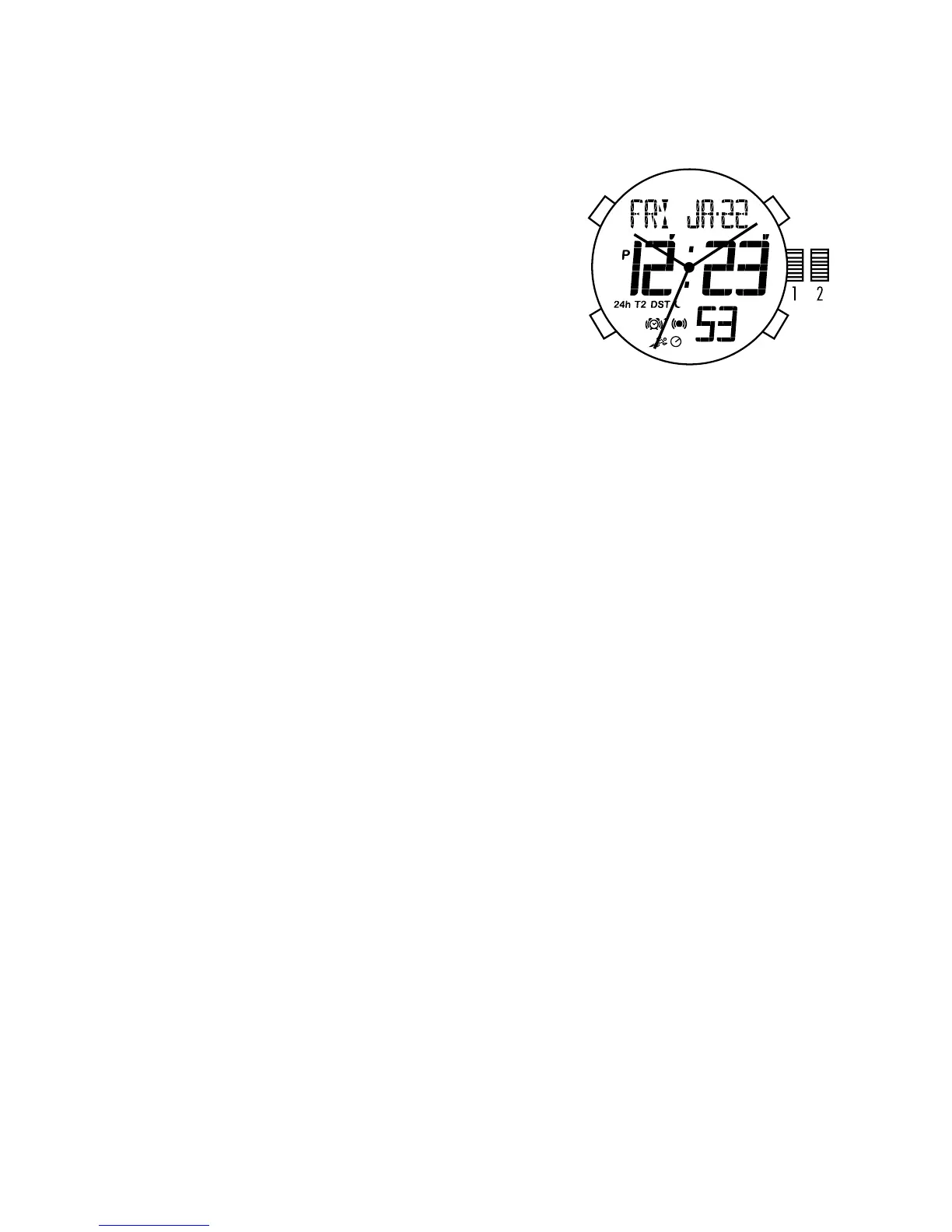
ANA-DIGI 1 – QX4-AP DMS
General Description / Features:
TIME with 24-Hour Feature
DUAL TIME ANA-DIGI
ALARM with 2 alarms
CHRONOGRAPH with stored data
TIMER
EL light operation
Analog Time Setting
1. Pull the crown out to position 2.
2. Turn the crown to set the hour and minute hands to the desired time.
3. Return the crown to position 1.
Digital Function/Setting
A - EL / SETTING BUTTON
• Presstoilluminatethedisplay.
• Pressandhold3secondstoentertimesettingmode.
NOTE: At any point in any setting mode, press A to exit setting mode.
B - MODE BUTTON
• InNormalTimeMode,presstoscrollthroughvariousmodes.
• Pressandholdfor3secondstoturnautoELon/off.
C - ADJUST / START BUTTON
• InNormalTimeMode,presstotogglehourlychimeon/off.
• Presswheninsettingmodestoadvancedigitsforward.
• InChronographMode,presstostartstopwatchfunction.
D - ADJUST/STOP/RESET BUTTON
• InNormalTimeMode,presstoflashtoTime2;Pressandholdfor3secondsto
toggle time display between Time 1/Time 2.


 To Next Page