soniclear petite | 11
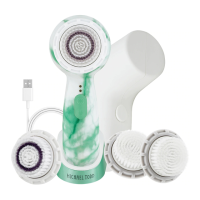
6. Selecting Speeds: Your soniclear provides a
customized sonic cleansing experience with 3 brush speeds
to choose from. To change speeds, press the Speed Button
with your soniclear turned ON. Speed is
indicated visually by the two red Speed Indicator Lights on
the Handle above the Power and Speed Buttons.
7. Cleansing. To cleanse, wet your skin and the Brush Head with
warm water. Apply cleanser to your skin or the Brush Head.
Press the ON/OFF
button to turn ON your soniclear
and select the desired speed. Place the Brush Head
ush to the skin and gently move in up-down or side to side
strokes or in small circular motions. DO NOT press hard. The
micro-massaging action of the Brush Head will perform the
cleansing at sonic frequencies between 200-300 times per
second depending on the speed selected. Pressing hard will
only impede this motion and reduce the effectiveness of the
cleansing.
8. Cleansing Timer. For even and thorough cleansing, your
soniclear features a built in automatic timer that
beeps to indicate it is time to move to another cleansing area.
Speed
Low speed
2nd speed
High speed
Light
Bottom red light on
Top red light on
Both red lights on


 To Next Page