soniclear petite | 15
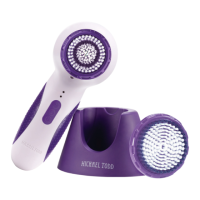
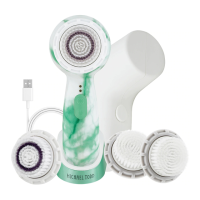
1. Handle. The Handle can be cleaned using warm soapy
water to remove any dirt or residue buildup. Rinse and dry
with a clean cloth.
2. Brush Head. The Brush Head is antimicrobial to protect
against stain and odor causing bacteria. This protection is
safe, effective and long lasting, and will not wash out or wear
off for the normal life of the Brush Head. Traditional sonic
cleansing systems don’t provide this protection. Antimicrobial
product protection is not a substitute for good hygienic
practices nor is it intended to protect the user from disease
causing microorganisms. We recommend that you clean the
Brush Head with warm soapy water before and after using
your soniclear and not share the Brush Head for
sanitary reasons. Each user should have her/his own Brush
Head. Using your soniclear to remove makeup
may stain the brush bristles, but will not affect performance. If
discoloration occurs, clean the Brush Head with warm soapy
water. We also recommend replacing the Brush Head after
6 months of continuous use or more frequently should the
bristles show wear or become less effective over time.
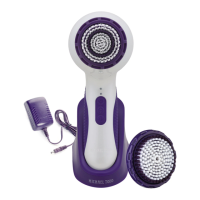
3. Charger. DO NOT immerse the USB Charger in water. Unplug
the Charger before cleaning it. After unplugging the Charger,
wipe with a soft, damp cloth.
4. DO NOT clean your soniclear or any of its
components using a dishwashing machine.
5. DO NOT use abrasive cleaners or chemicals to clean your
soniclear .
CARE AND MAINTENANCE


 To Next Page