5
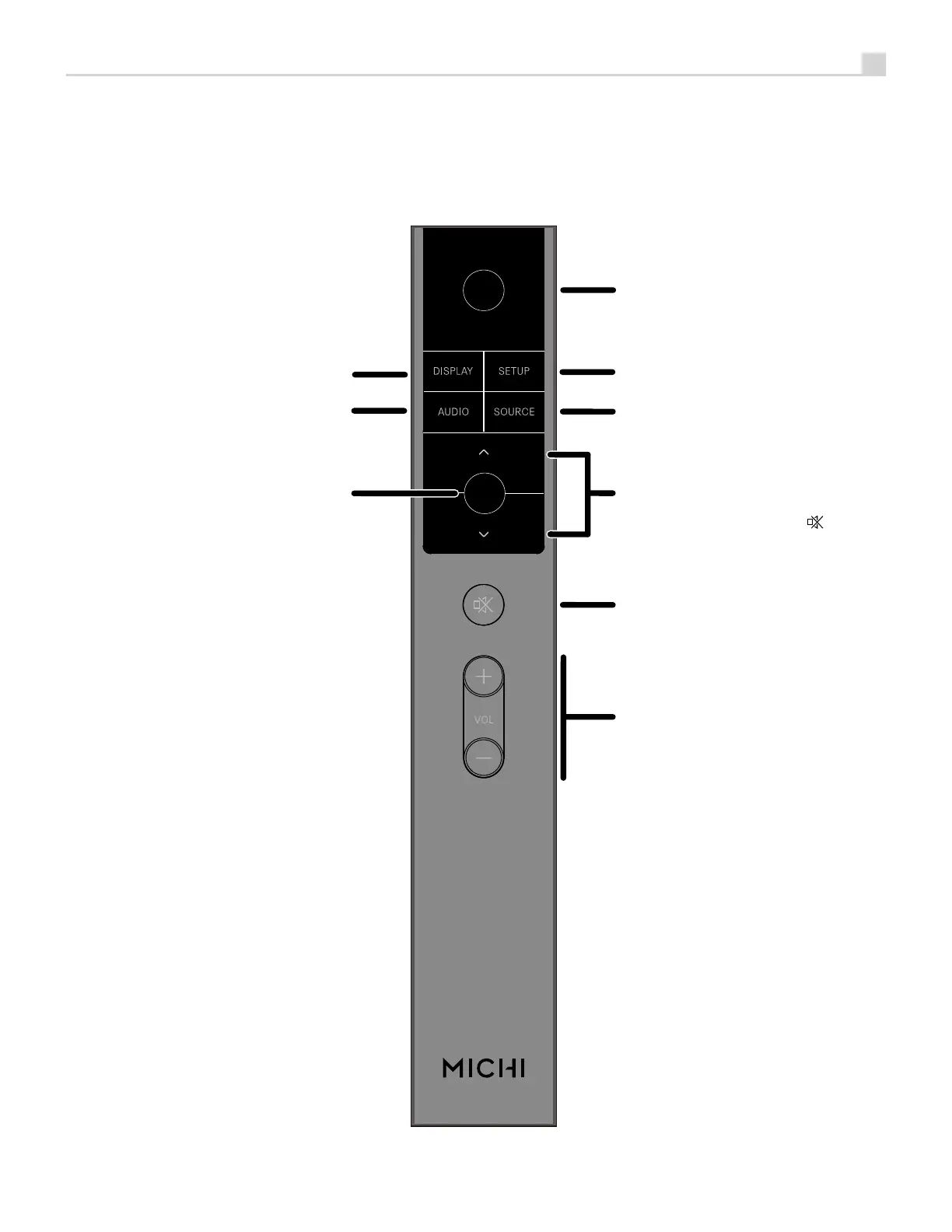
Figure 2 : RR-RH6 Remote Control
Télécommande infrarouge RR-RH6
Fernbedienung RR-RH6
Mando a Distancia RR-RH6
Afstandsbediening RR-RH6
Telecomando RR-RH6
RR-RH6 fjärrkontroll
Пульт ДУ RR-RH6
A
B
C
D
E
F
G
H
K
A
: Power Button
Activate or deactivate the unit.
B
: SETUP
Activates the OSD setup screen
on the front display.
C
: SOURCE
Selects the input signal source.
D
: Navigation Buttons
Access the various menus and
operate the Amplifier settings.
E
: Mute Button
Mute the audio.
F
: Volume Buttons
Adjust the volume output level.
G
: DISPLAY Button
Dims the front display.
H
: AUDIO Button
Temporary adjustments to the
Balance, Bass and Treble settings.
K
: Enter Button
Confirm the selected and desired
settings.



 To Next Page