5
OPERATIONS
4.7 INSTALLING SHELVING IN THE UNIT (IF APPLICABLE)
Instructions:
1. Hook shelf rails onto shelf pilasters
2. Position shelf rails equal in distance from the oor for level shelves.
3. Wire shelves are oriented so that cross support bars are facing down.
4. Place shelves on shelf clips making sure all corners are seated properly.
5.1 MECHANICAL (ANALOG) TEMPERATURE CONTROL
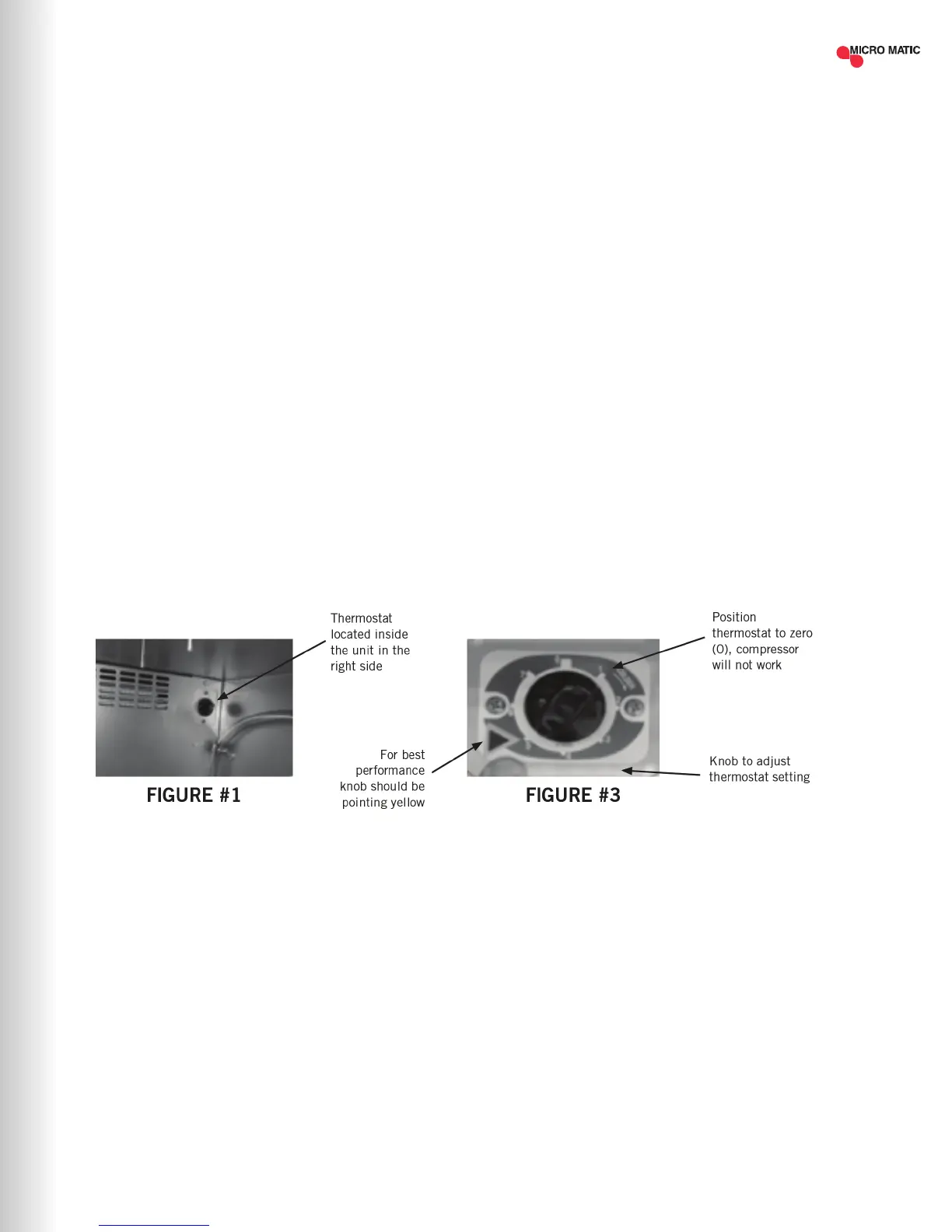
Before you connect the unit to the power supply, verify the thermostat is NOT in the OFF
position (the position of the thermostat must be different than zero). If the thermostat is in
the OFF position, the compressor will not run. Keep in mind, the evaporator fan and lights will
still have power while the thermostat is in the OFF position.
The knob of the thermostat is the temperature controller. This is located inside the cabinet.
Please be sure that the knob of thermostat is pointing to the yellow arrow (Figure #3). This
position is recommended by the factory to assure correct function of the equipment (see
Figure #1 below).
NOTE: Keep in mind, if you move the knob to a different position than the position
recommended from factory, the temperature will change, as well. The knob position near
the number one, gives you the warmest temperature and the knob position near the number
seven, gives you the coldest temperature.
For equipment with manual thermostat a manual defrost could be required, unplug the
equipment from the power supply for 15 minutes and leave the door open. Continue until ice
melts.
| 9MICROMATIC.COM SUPPORT (888) 864-9400



 To Next Page