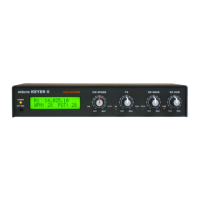
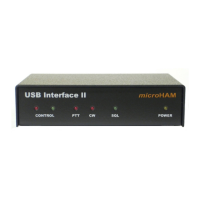
microHAM © 2016 All rights reserved
1 - FEATURES AND FUNCTIONS
No Serial or Parallel port necessary, just one USB port
Complete "Computer <-> Radio" isolation
•
optical isolation of ALL digital signals -> Radio Control, CW, & PTT
Compatible with all MS Windows based logging or control software
•
the special microHAM "USB Device Router" program creates virtual COM ports for full operation with
standard Windows applications.
•
customizable presets allow instantly changing CW Keyer parameters to match the program currently in use
Integrated computer control port for all radios CI-V, FIF-232, IF-232, RS-232
•
fully supports Icom, Kenwood, TenTec, Yaesu and other radios
•
no separate level converter required
Integrated K1EL WinKey™ chip with extended capabilities for superior CW
- front panel speed knob
- nine (9) user programmable memories
- PS/2 keyboard support for CW transmission
- PS/2 keyboard/keypad support for message playback and control
- PS/2 keyboard or keypad CW works without computer connection
- precisely timed auto PTT
- selectable side tone
- all parameters are stored in nonvolatile memory and reloaded on power up
Strong RFI immunity
•
integrated chokes and filters for best RFI immunity
•
advanced shielding and circuit design for RFI product suppression
Connections:
•
Computer: USB
•
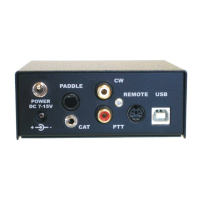
Radio: CAT – 1/8,” Paddle – 1/4”, CW Out – RCA, PTT – RCA
•
Power: 2.1 mm coaxial
•
Remote: PS/2 - MiniDIN6
Front panel LEDs for indication of CW, PTT, & POWER status
Metal/Aluminum case, powder coated and silk screened
Free, no time limit, on-line firmware/software upgrades
2 - IMPORTANT WARNINGS
You must set the CAT level jumpers inside the CW Keyer
before using it for the first time.
ALWAYS check the polarity of the external 13.8 V supply.
If your radio includes upgradeable firmware,
DO NOT perform any upgrade through CW Keyer.
3


 To Next Page