IPn3G - Quick Start
To download the most up to date user manuals, visit the
Microhard Website @
www.microhardcorp.com/support
Login using your existing account, or for specific access
to the Cellular products use the following general login:
Email: cellular@microhardcorp.com
Password: mhscell
To connect to the IPn3G for web browser configuration use the
following default IP Addresses:
Ethernet/RJ45: 192.168.0.1
USB/NDIS: 192.168.111.1
The default login as follows:
Username: admin
Password: admin
1
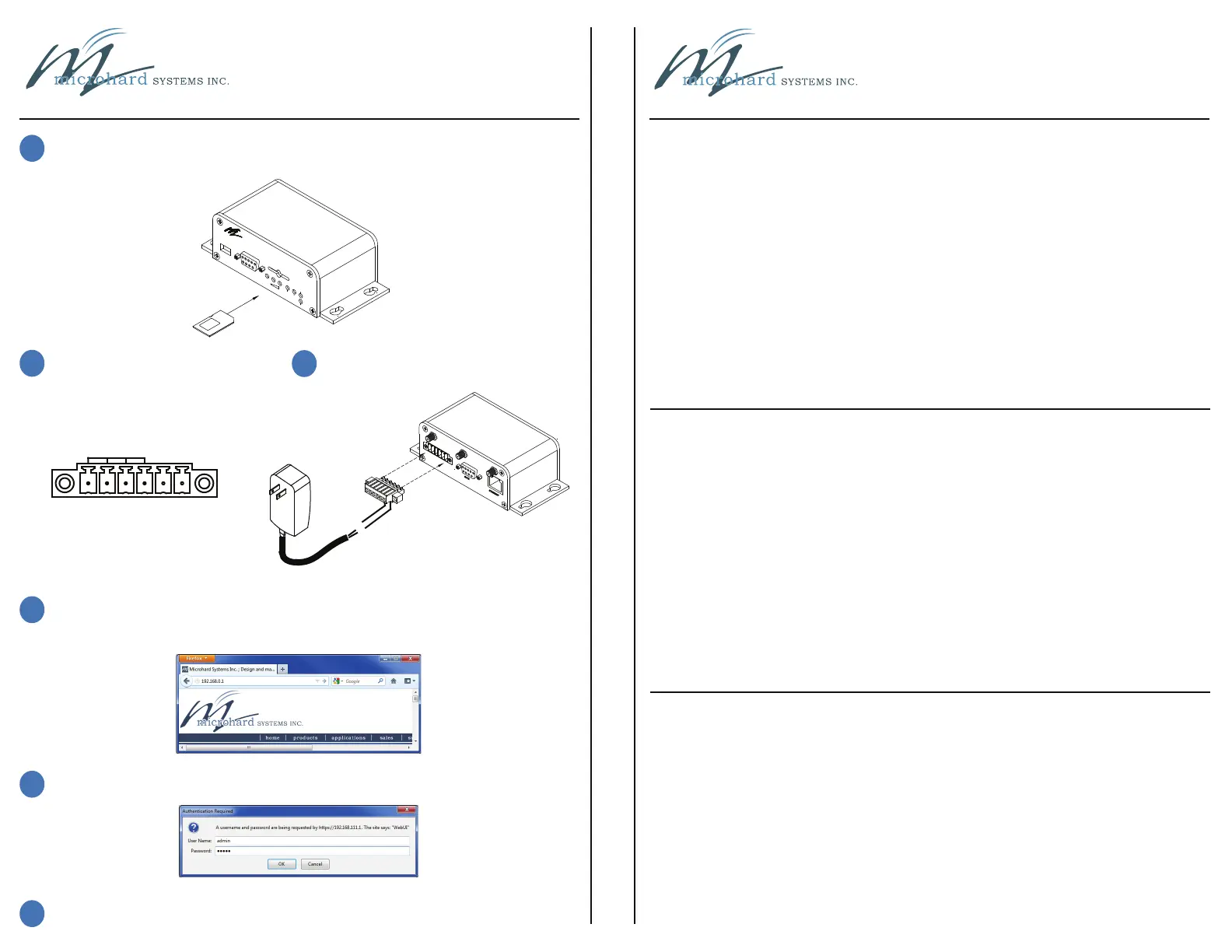
Install SIM Card - Ensure contacts are facing up, and the notch is towards
the modem as shown. The card will “click” into place when installed correctly.
2
Install/Attach Antennas
3
Attach/Apply power (7-30 VDC)
4
Connect to the USB (requires drivers) or Ethernet port for configuration. To access the
WebUI, open a web browser and enter the IP address in the address bar, for
USB use 192.168.111.1, for Ethernet use 192.168.0.1.
5
Login using the default login, username: admin password admin
6
Under the Carrier tab, configure the APN, Username, Password, etc, as required
by your Cellular Carrier
USB
DIAGNOSTIC
RF
RSSI
SGNL
STATUS
CONFIG
microhard SYSTEMS INC.
SIM CARD
Vin(+)
GND(-)
D
A
T
A
E
T
H
E
R
N
E
T
RS485/422
Vin+
GND
RxA
RxB
TxA
TxB
IPn3G - Quick Start
Microhard Systems Inc.
150 Country Hills Landing N.W.
Calgary, AB T3K 5P3
Web: www.microhardcorp.com
Email: info@microhardcorp.com
Phone: (403) 248 - 0028
Fax: (403) 248 - 2762
Rev 1.1
*Please clear your browsers cache (history) if you experience difficulties logging in



 To Previous Page