10
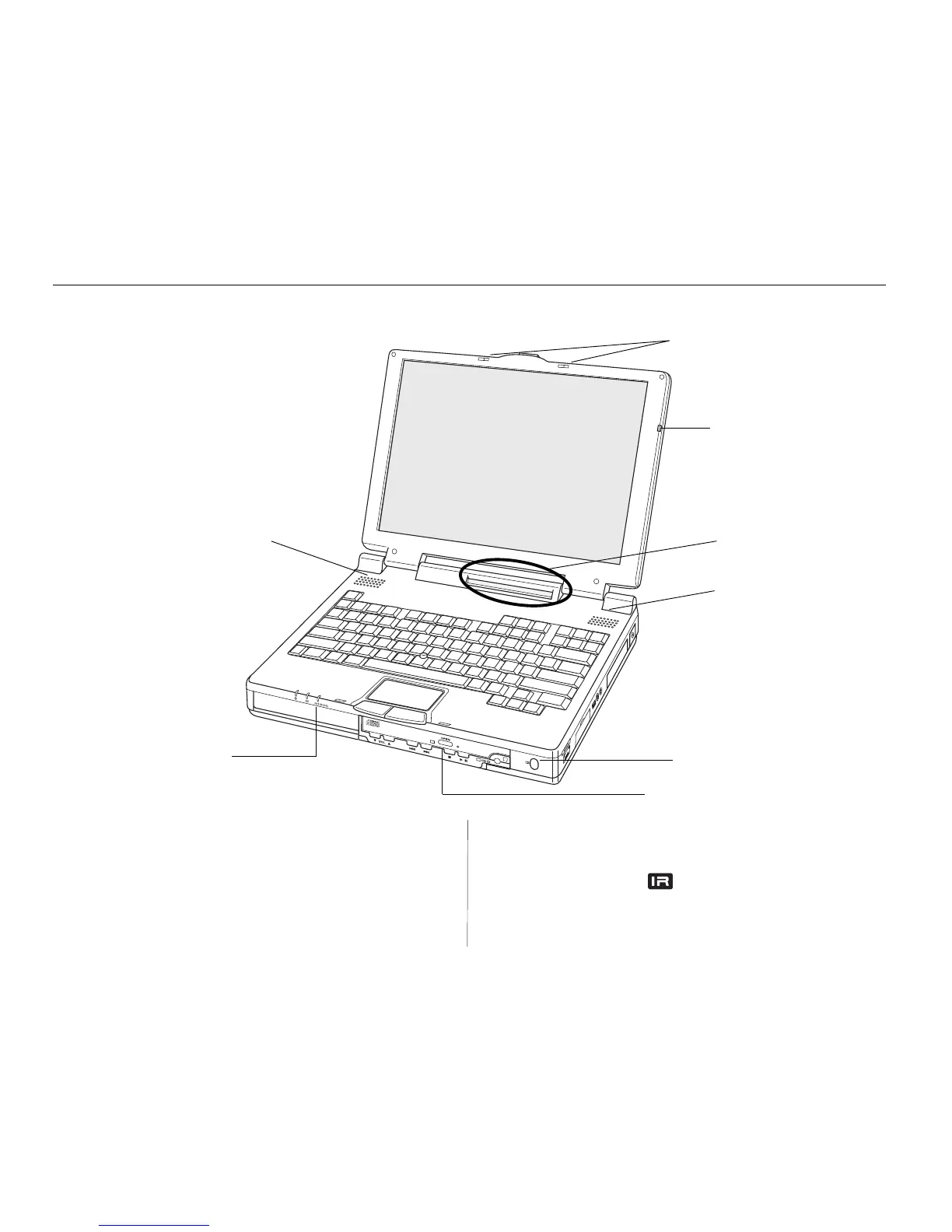
Latches slide to release the display
panel
Microphone
Mini-LCD Control Panel
Speaker
Front Infrared (IR) Port
Right Expansion Bay (CD-ROM Drive)
Left Expansion Bay
Speaker
Front View
Figure 1-1: Front features include the display panel,
indicator lamps, keyboard, two expansion bays, and
an infrared port.
To open the display panel:
Turn the front of the computer toward you. Slide the front latch
to the right, then lift the display panel with both hands. Tilt the
display panel to a comfortable viewing angle.
Left FlexOpt Expansion Bay
Holds either a floppy disk drive or lithium-ion battery.
Right FlexOpt Expansion Bay
Holds a CD-ROM drive, a battery, or an extra hard drive.
Front Infrared (IR) port
Transfers data between nearby computers without cables.



 To Next Page