MaxNAS Owner’s Manual
50
5.2 Windows Vista
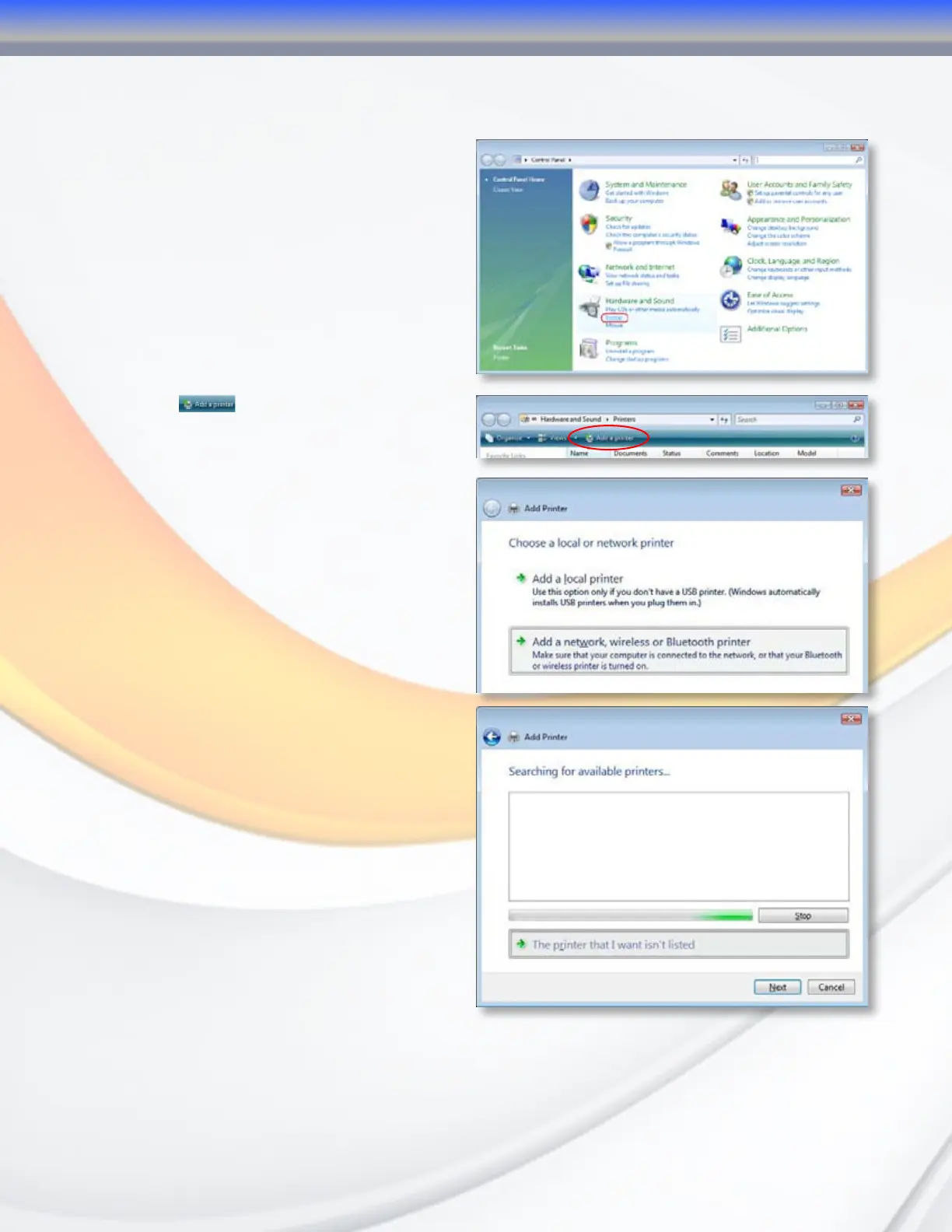
To set up the Printer Server in Windows Vista, follow the steps below:
5.2.1 Open Printer Folder from the Control
Panel.
5.2.2 Click .
5.2.3 Select Add a network, wireless or
Bluetooth printer.
5.2.4 Select The printer that I want isn’t
listed. You can press The printer that
I want isn’t listed to go into next page
without waiting for Searching for available
printers to finish.
4-Connecting Users



 To Next Page