LVS-7510 Integrated System Installation and Quick Start Guide for Zebra Printers
LVS-7510 Integrated System Installation and Quick Start Guide for Zebra Printers Page 10 of 16
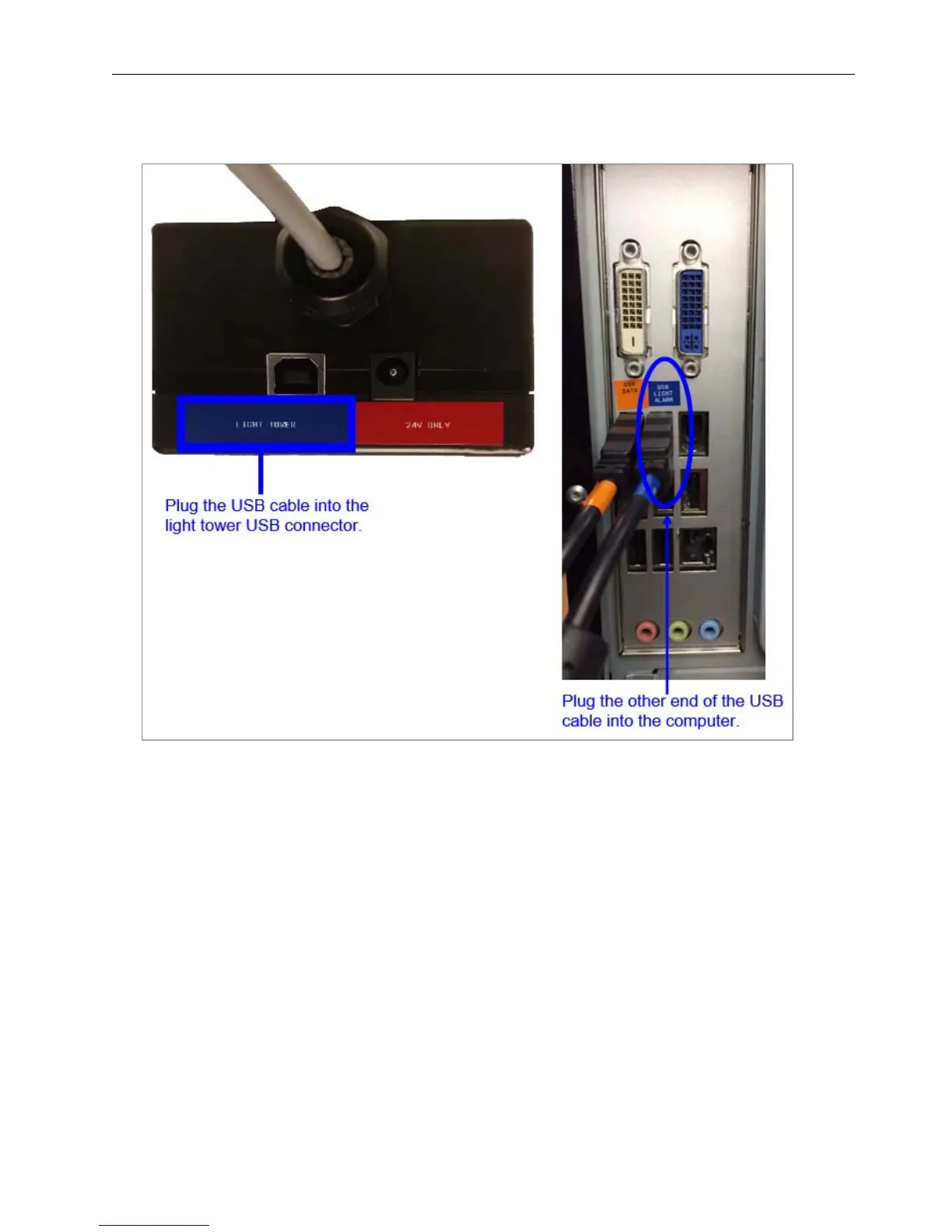
4. Plug one end of the USB cable into the light tower USB connector and the other end into the computer’s
USB port. Cables are color-coded in blue.
5. Light tower installation is complete. Proceed to the next section.


 To Next Page