E Safety Information
To ensure your personal safety and the safety of your equipment:
• Keep your work area and the computer clean and clear of debris.
• Before opening the system cabinet, unplug the power cord.
E.1 Electrostatic Discharge (ESD)
Caution: ESD can damage electronic components when they are improperly handled,
and can result in total or intermittent failures. Always follow ESD-prevention procedures
when removing and replacing components.
To prevent ESD damage:
• Use an ESD wrist or ankle strap and ensure that it makes skin contact. Connect the equipment end of
the strap to an unpainted metal surface on the chassis.
• Avoid touching the controller against your clothing. The wrist strap protects components from ESD on
the body only.
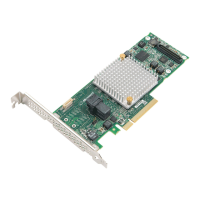
• Handle the controller by its bracket or edges only. Avoid touching the printed circuit board or the
connectors.
• Put the controller down only on an antistatic surface such as the bag supplied in your kit.
• If you are returning the controller to Microsemi Adaptec Product Support, put it back in its anti-static
bag immediately.
If a wrist strap is not available, ground yourself by touching the metal chassis before handling the controller
or any other part of the computer.
75
Microsemi Proprietary and Condential. Installation and User's Guide Revision 5
Safety Information



 To Next Page