31 M1179886
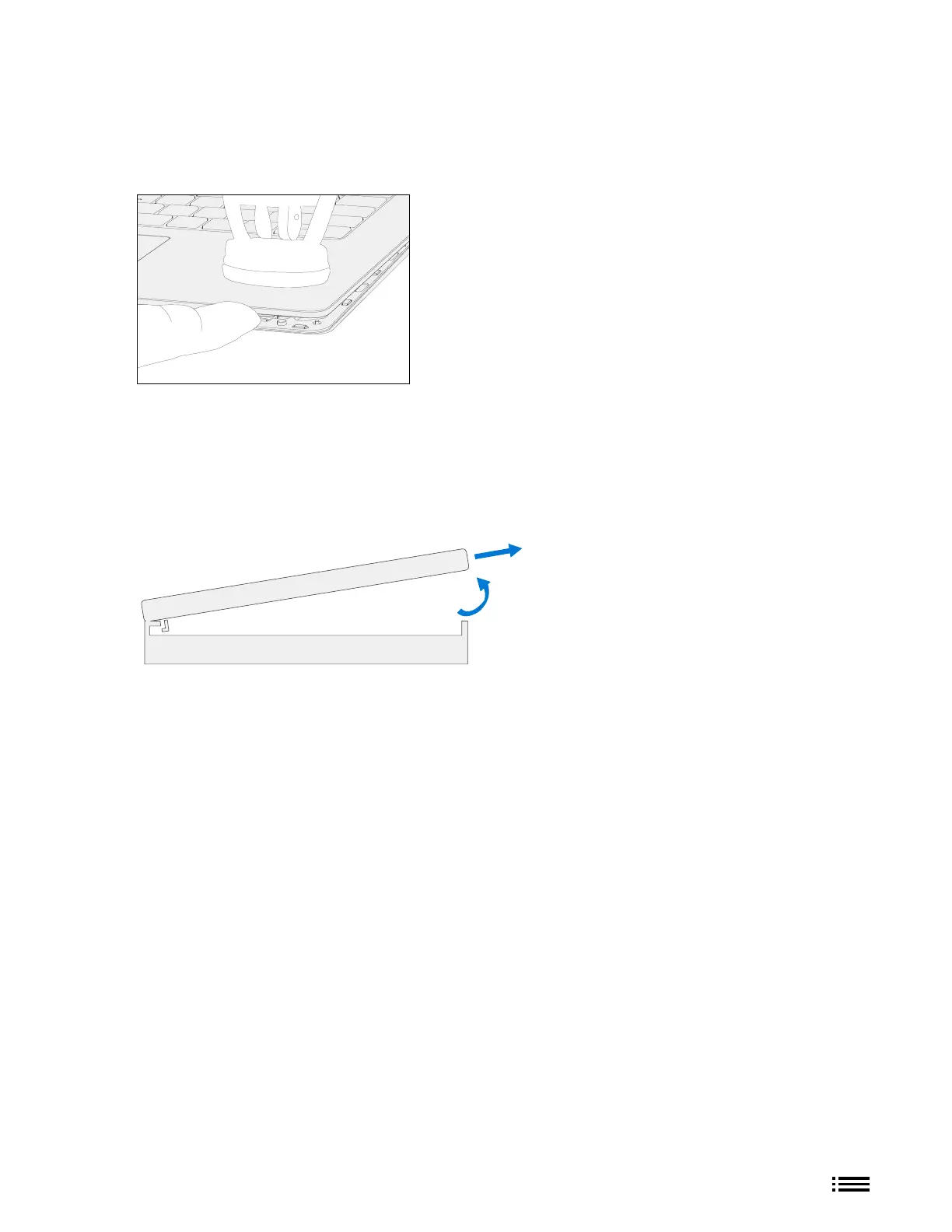
3. Separate C-cover from device – Once C-cover separation from the device bottom case is achieved, place a
nger between the C-cover and device region. Pull upwards slightly to separate the C-cover from the
magnets.
4. Angle C-cover – Angle the C-cover at approximately 45 degrees from horizonal—be sure to angle the
C-cover no more than 45 degrees or else risk damaging the C-cover hook or FPC. If hook is damaged, it
needs to be removed carefully to avoid damaging the FPCs, and then a new C-cover needs to be installed.
5. C-cover hook clearance – Once angled, keep the angle of the C-cover while pulling the C-cover directly
towards yourself. Be sure to avoid pressing on the power button during this procedure.
Side View
D-bucket
C-cover










 To Next Page