36 M1179886
Procedure – Removal (rSSD)
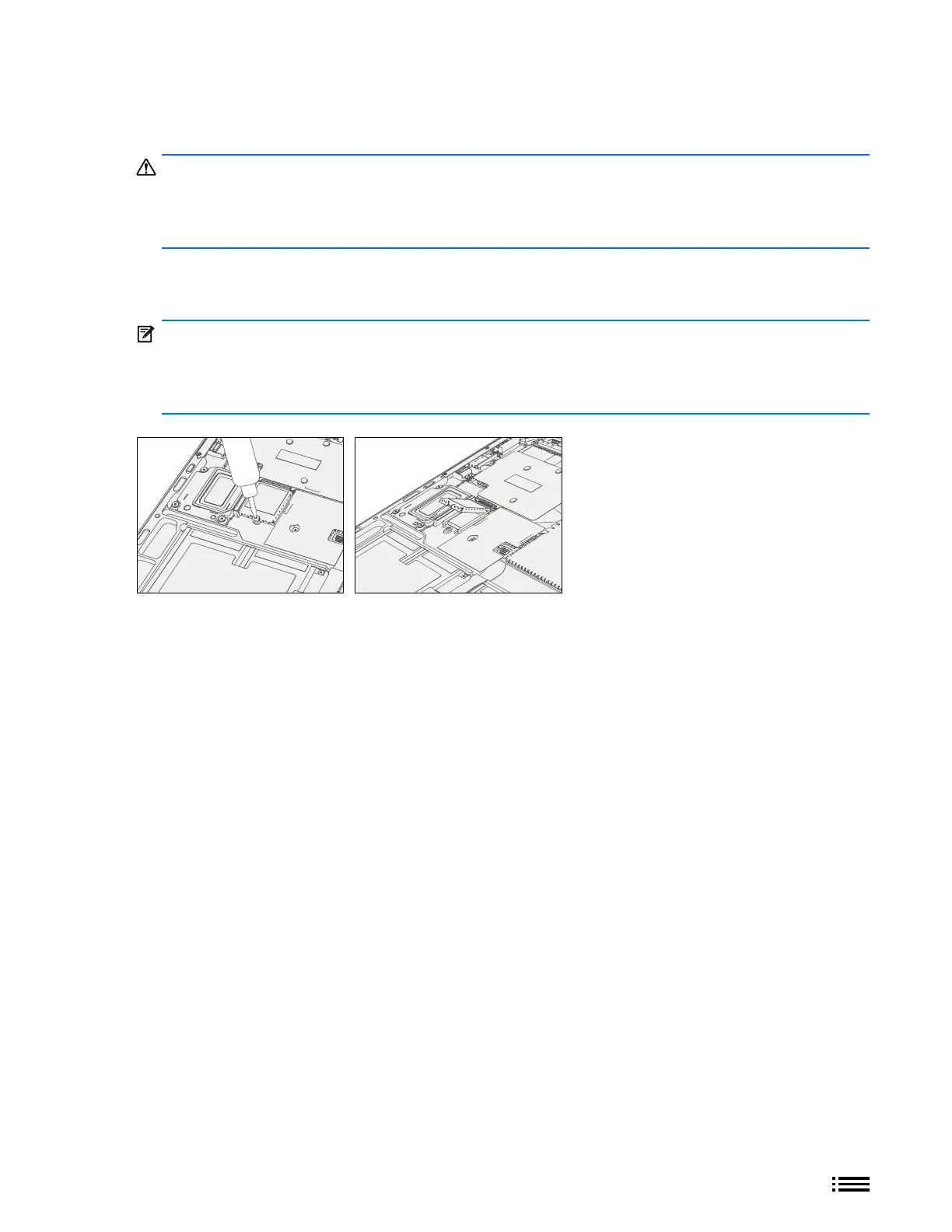
1. Remove rSSD Screw – Use a 5IP (Torx-Plus) driver to remove the screw securing the rSSD.
WARNING: Be very careful to position your screwdriver directly over the rSSD screw and to avoid
slipping towards the battery during removal. If the battery is contacted, impacted, or damaged in any
way during the rSSD removal process, activities should immediately cease, and designated return process
should be followed.
2. Remove rSSD – The rSSD should lift upwards to ~15 degree tilt after screw is removed. Carefully grab sides
of rSSD case and pull out of main board socket at same ~15 degree angle.
IMPORTANT: Conrm condition of thermal pillow that resides beneath the rSSD once rSSD has been
removed. Thermal pillow should maintain good contact with an installed rSSD and should not have
physical evidence of deterioration such as collapsing, excessive cracking etc. The outside mylar layer of
the foam should be intact and no foam should be visible when viewed from above.










 To Next Page