
 Need help?
Do you have a question about the Microsoft Lumia 550 and is the answer not in the manual?
This document is a user guide for the Microsoft Lumia 550, providing instructions on its setup, basic operation, and important safety information.
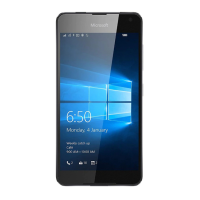
The Lumia 550 is a mobile phone designed for everyday communication and smart device functionalities. It features a front camera, main camera with flash, audio connector, earpiece, volume keys, power/lock key, microphone, charger connector, and a speakerphone. The device is powered by a rechargeable battery and uses nano-SIM cards for network connectivity, along with an optional memory card for expanded storage.
The Lumia 550 serves as a comprehensive mobile communication device. Its primary functions include making and receiving calls, sending and receiving messages, and accessing mobile data for internet browsing and app usage. The device supports various network bands, including LTE, WCDMA, and GSM, ensuring broad compatibility with service providers.
The phone integrates with a Microsoft account, allowing users to access the Windows Store for apps and games, and to back up their data to the cloud using OneDrive. This integration enables a seamless experience across Microsoft services, including Outlook.com, Office, and Xbox.
The camera system, comprising a front camera and a main camera with flash, allows users to capture photos and videos. The device's audio capabilities support calls through the earpiece and hands-free communication via the speakerphone, as well as audio output through the audio connector for headphones.
Navigation on the Lumia 550 is primarily touch-based. Users can interact with the device through taps, swipes, and presses on the screen. The start screen is customizable, allowing users to personalize the layout with app tiles and background photos. The action center provides quick access to notifications and settings.
To begin using the Lumia 550, users first need to insert a nano-SIM card. The SIM card slot is located under the back cover, and the battery must be removed to access it. After inserting the SIM, an optional memory card can be inserted into its dedicated slot. It is recommended to use a fast 4–128GB memory card from a well-known manufacturer for optimal performance. Once the cards are in place, the battery is reinserted, and the back cover is snapped on.
The device is charged using a compatible charger connected to a wall outlet or a USB cable connected to a computer. If the battery is fully discharged, it may take up to 20 minutes for the charging indicator to appear. To turn on the phone, the power key is pressed and held until the device vibrates. During the initial setup, users are prompted to select their language and region, which are important settings that may not be changeable later. The phone then guides the user through the remaining setup steps.
Setting up a Microsoft account is a key feature, enabling access to the Windows Store for apps and games, and automatic backups to OneDrive. Users can either create a new account or sign in with an existing Microsoft account (e.g., Outlook.com, Hotmail, Office, OneDrive, or Xbox credentials). During account setup, users provide details and choose a method for receiving a one-time verification code.
The Lumia 550's interface is designed for intuitive touch navigation:
Users can customize their start screen:
The "Transfer my Data" app facilitates moving contacts, text messages, pictures, and videos from an old phone to the Lumia 550. The old phone must support Bluetooth for this transfer. For other content like music, users can refer to the "Lumia Help+Tips" app. If the previous phone was a Lumia and its content and settings were backed up to a Microsoft account, signing into the same account on the new Lumia 550 will restore the backup.
The user guide provides instructions for replacing the battery and back cover. To replace the battery, align its contacts and insert it into the phone. The back cover is replaced by aligning its bottom edge with the phone's bottom edge and snapping it into place.
The Lumia 550 includes a built-in user guide accessible through the "Lumia Help+Tips" app, even without network connectivity. For a printable user guide, online user guide, and troubleshooting assistance, users can visit www.microsoft.com/mobile/support. New Lumia users are also encouraged to check the "Get started" app.
In cases where the phone becomes unresponsive, a soft reset can be performed without losing data or settings. This is done by pressing and holding the power key for approximately 10 seconds until the phone vibrates and restarts.
The device comes with a Product and Safety Information booklet that should be read before use. Only original BL-T5A rechargeable batteries and AC-18 chargers (or compatible third-party chargers meeting USB requirements) should be used. Incompatible memory cards can damage the device and corrupt data. When using the camera flash, a safe distance should be maintained, and the flash should not be covered.
The Lumia 550 has been tested for hearing aid compatibility, complying with FCC rules and requiring an M3 rating or higher. Users with hearing aids or cochlear implants are advised to test the device's features in different locations to check for interference. For telecoil-equipped hearing aids, activating the hearing aid's T switch and the device telecoil is necessary. Further information on accessibility and hearing aid compatibility is available at www.microsoft.com/en/mobile/accessibility/hearing-aid-compatibility/.
The device complies with international guidelines for exposure to radio waves, with SAR (Specific Absorption Rate) limits based on ICNIRP guidelines. SAR tests are conducted at the highest certified power level across all frequency bands. The maximum SAR values for the Lumia 550 are 0.63 W/kg over 10g when held against the head (using 4-slot GPRS 850 and WLAN 2450) and 0.50 W/kg over 10g when operated at a separation distance of 5/8 inch (1.5 centimeters) from the body (using 4-slot GPRS 850 and WLAN 2450). When using a carry case or belt clip for body-worn operation, it should not contain metal and must provide at least the stated separation distance. The operating power of the mobile is automatically decreased when full power is not needed, resulting in lower SAR values during general use. The latest SAR information can be found at sar.microsoft.com. The World Health Organization (WHO) states that current scientific information does not indicate a need for special precautions, but recommends limiting usage or using a hands-free kit to reduce exposure.
The device complies with part 15 of the FCC rules, ensuring it does not cause harmful interference and accepts any interference received. Any unauthorized modifications could void the user's authority to operate the equipment. The FCC ID can be found by navigating to "All settings > Extras > Extras & info" on the device.
 General
| Panel type | LCD |
|---|---|
| Pixel density | 315 ppi |
| Display diagonal | 4.7 \ |
| Touch technology | Multi-touch |
| Touchscreen type | Capacitive |
| Display resolution | 1280 x 720 pixels |
| Processor cores | 4 |
| Processor family | Qualcomm Snapdragon |
| Processor frequency | 1.1 GHz |
| RAM capacity | 1 GB |
| Compatible memory cards | MicroSD (TransFlash) |
| Maximum memory card size | 200 GB |
| Internal storage capacity | 8 GB |
| Flash type | LED |
| Front camera type | Single camera |
| Maximum frame rate | 30 fps |
| Optical sensor size | 1/4 \ |
| Video recording modes | 720p |
| Resolution at capture speed | 1280x720@30fps |
| Rear camera resolution (numeric) | 5 MP |
| Front camera resolution (numeric) | 2 MP |
| 4G standard | LTE |
| 2G standards | GSM |
| 3G standards | WCDMA |
| SIM card type | NanoSIM |
| Wi-Fi standards | 802.11b, 802.11g, Wi-Fi 4 (802.11n) |
| Bluetooth version | 4.1 |
| 3G bands supported | 850, 900, 2100 MHz |
| 4G bands supported | 800, 900, 1800, 2100, 2600 MHz |
| Bluetooth profiles | A2DP, AVRCP, GATT, HFP, HID, MAP, OPP, PBA, PBAP |
| SIM card capability | Single SIM |
| 2G bands (primary SIM) | 850, 900, 1800, 1900 MHz |
| Mobile network generation | 4G |
| USB version | 2.0 |
| USB connector type | Micro-USB B |
| HDMI ports quantity | 0 |
| Headphone connectivity | 3.5 mm |
| Form factor | Bar |
| Product color | Black |
| Platform | Windows |
| Operating system installed | Windows 10 |
| Subscription type | No subscription |
| Themes | Wallpapers |
| Personalization | Icons, Menu |
| Personal info management (PIM) | Alarm clock, Calculator, Calendar, Events reminder, Notes, To-do list |
| Voice codecs | AMR-NB, FR |
| Video compression formats | H.263, H.264, MPEG4, VC-1 |
| Multimedia Messaging Service (MMS) | Multimedia Messaging Service (MMS) is a standard way to send messages that include multimedia content to and from a mobile phone over a cellular network |
| Talk time (2G) | 16 h |
| Talk time (3G) | 14 h |
| Battery capacity | 2100 mAh |
| Browsing time (Wi-Fi) | 10 h |
| Continuous audio playback time | 60 h |
| Continuous video playback time | 7.1 h |
| Body SAR (EU) | 0.5 W/kg |
| Head SAR (EU) | 0.63 W/kg |
 Weight and Dimensions
| Depth | 9.9 mm |
|---|---|
| Width | 67.8 mm |
| Height | 136.1 mm |
| Weight | 141.9 g |













 To Next Page