8. Switch your phone on.
Remove the SIM and memory card
Got a new SIM or memory card? Learn how to remove the previous card from your phone.
1. Switch your phone off.
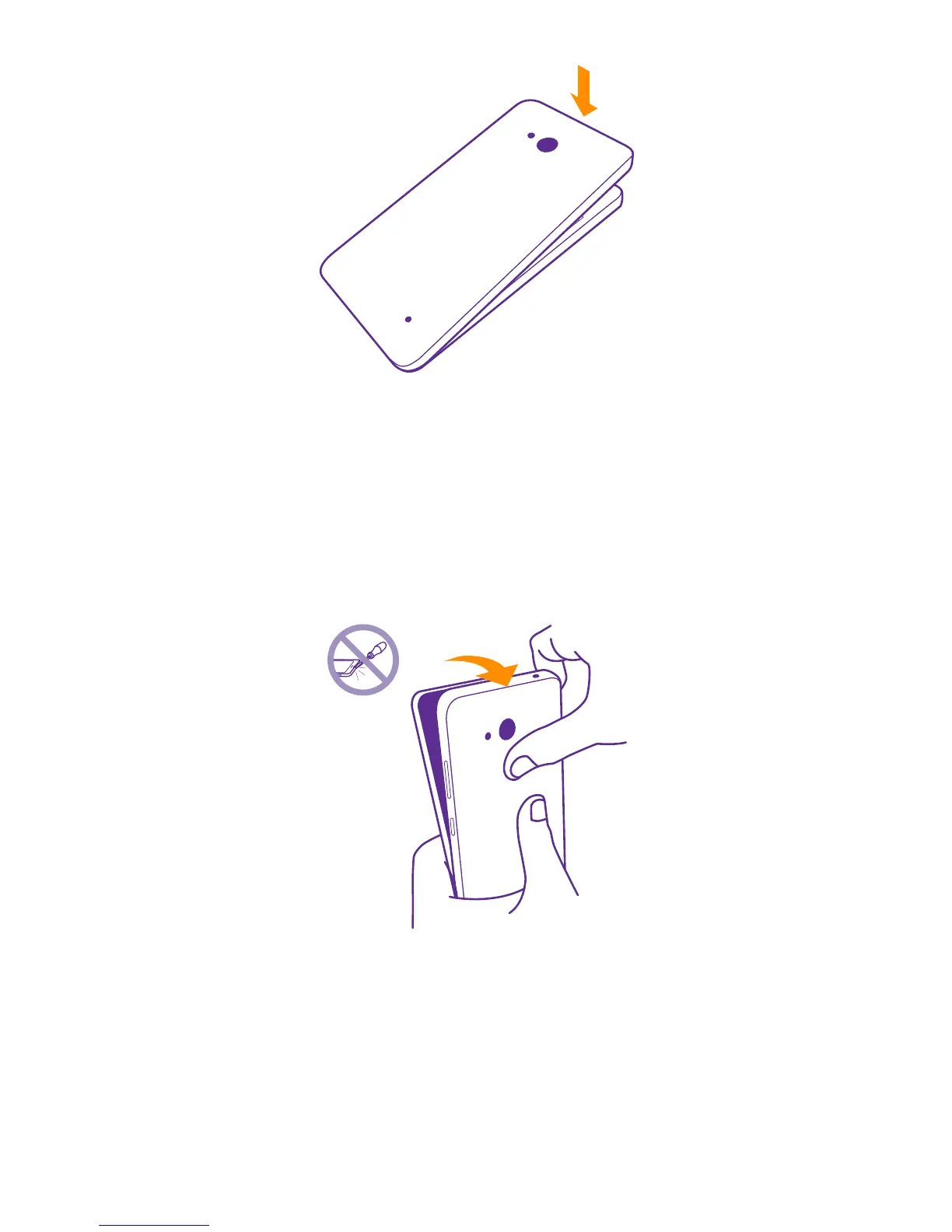
2. On the corner of the phone, put the tip of your index finger in the seam between the screen
frame and the back cover. Press the middle of the back cover, bend the cover open, and
remove it.
3. If the battery is in, lift it out.
© 2015 Microsoft Mobile. All rights reserved.
8














 To Next Page