©2015 Microsoft. Microsoft, the Microsoft logo, and the Microsoft Surface Hub logo are trademarks of the Microsoft
group of companies. Microsoft Corporation One Microsoft Way Redmond, WA 98052-6399 USA
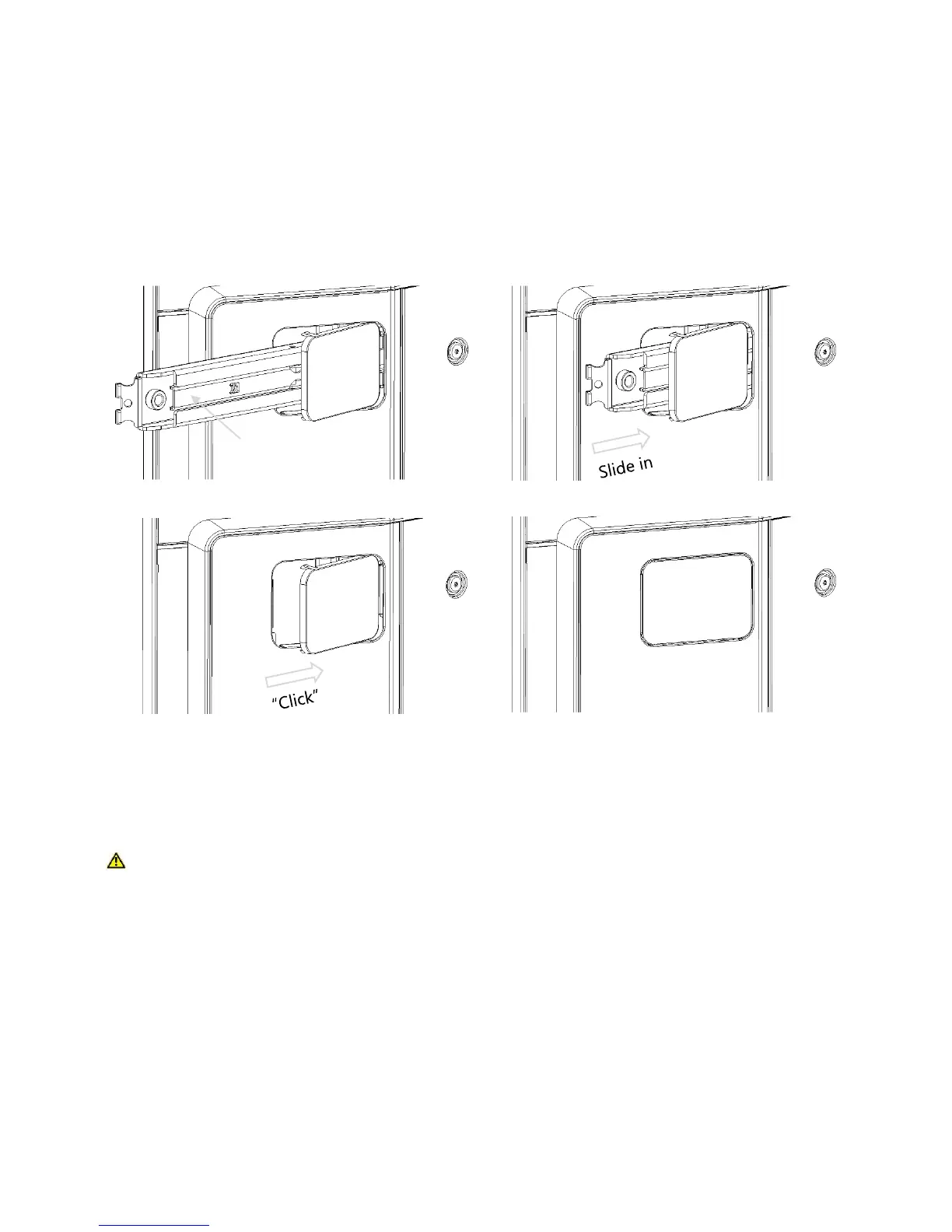
B. Depress the levers inside the lifting handle mounting bars, slide them into the device and
close the plastic door covers (see image below).
Step 4: Connect cables and attach the column door
WARNING: Cable routing
To reduce risks related to electric shock or trip hazards, ensure cables are routed in such a
way as to prevent them from being pinched, crushed, cut, or tripped on.
A. Connect the power, network, and any auxiliary cables to the Surface Hub.
B. Set the hard power switch to "On" (see the Setup Guide in your Welcome Kit).


 To Next Page