48 M1179886
9. AB-cover Hinge Alignment – It is necessary to properly align the front edge of the AB-cover to the lower
device case to ensure step gap between front edges are proper.
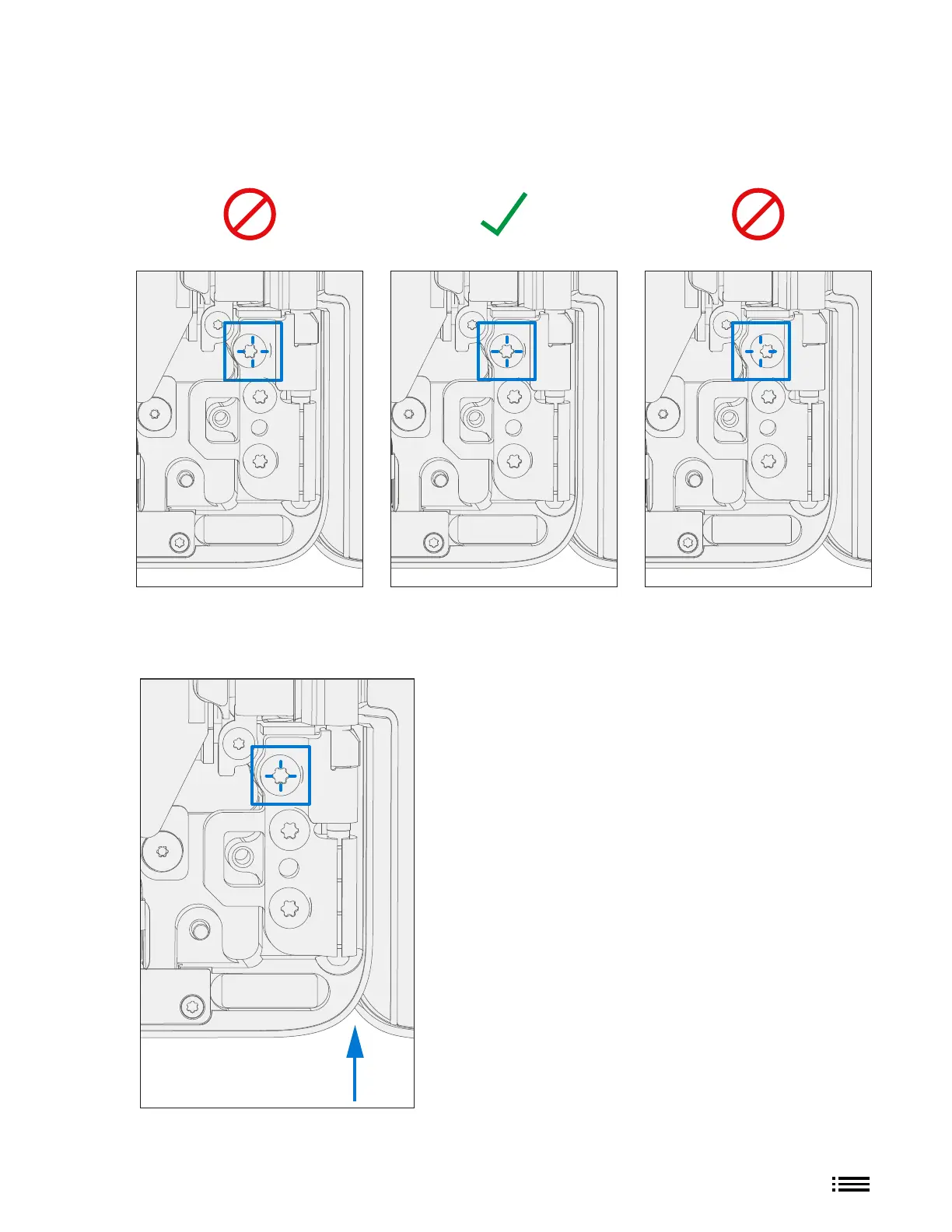
a. Hinge Alignment – Set Display Module to 90 degrees. Shift innermost screw on each side so that the
screws are concentric with the circular feature on the hinge.
b. Verify Hinge Alignment – With the screws concentrically aligned verify hinge alignment inserting a
plastic 0.40mm feeler gauge in between the display and chassis (shown by blue arrow). Feeler gauge
should be able to slide through smoothly. If gauge does not t, re-alignment may be necessary.
c. Secure hinge – Turn all 6 hinge screws another 90 degrees (1/4 turn) or until fully fastened.











 To Next Page